My Role: Product Design Lead Timeline: 5 months Platform: Web
Introduction
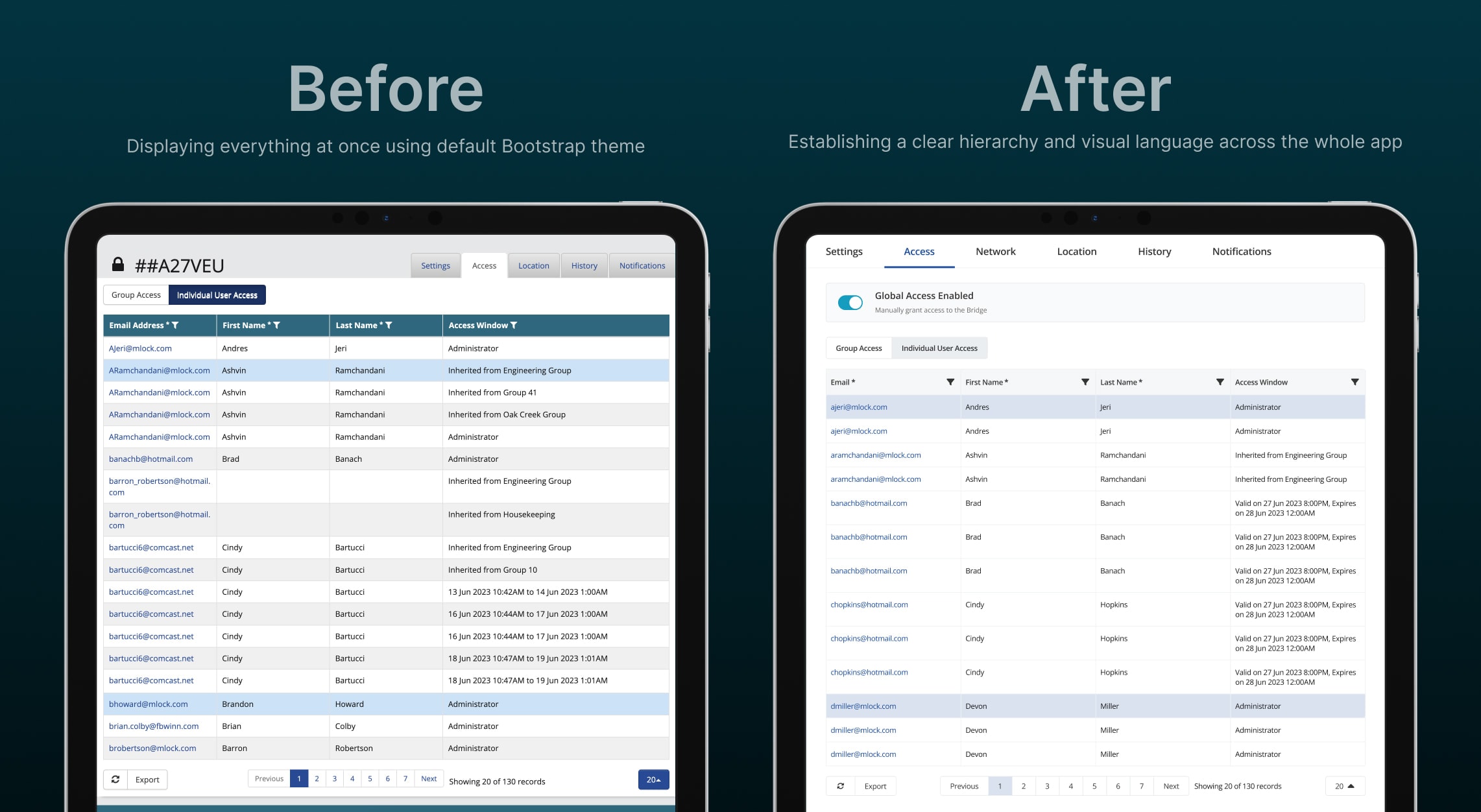
As a single designer embedded into the world-class development team, I was tasked with revitalizing the Master Lock Vault Enterprise Web app—a powerful tool for managing Bluetooth-enabled locks, codes and users. Despite its robust feature set, the app’s outdated UX/UI design frustrated users, hindered efficiency, and failed to meet modern usability standards. My mission was to overhaul the app by addressing key user pain points and enhancing the overall experience.
Through customer feedback, user research, iterative design, and collaboration with developers, I focused on three critical updates:
Lock Details UI Design Update – Improving the usability of the lock details page.
Schedules and Billing Management – Streamlining user schedules and billing management.
Shared Access and Bulk Code Name Update – Enabling management of multiple users and locks at once.
This case study showcases how these updates transformed the app into a more intuitive and efficient tool, supported by user feedback, testing insights, and visual assets.
1. Lock Details
Problem
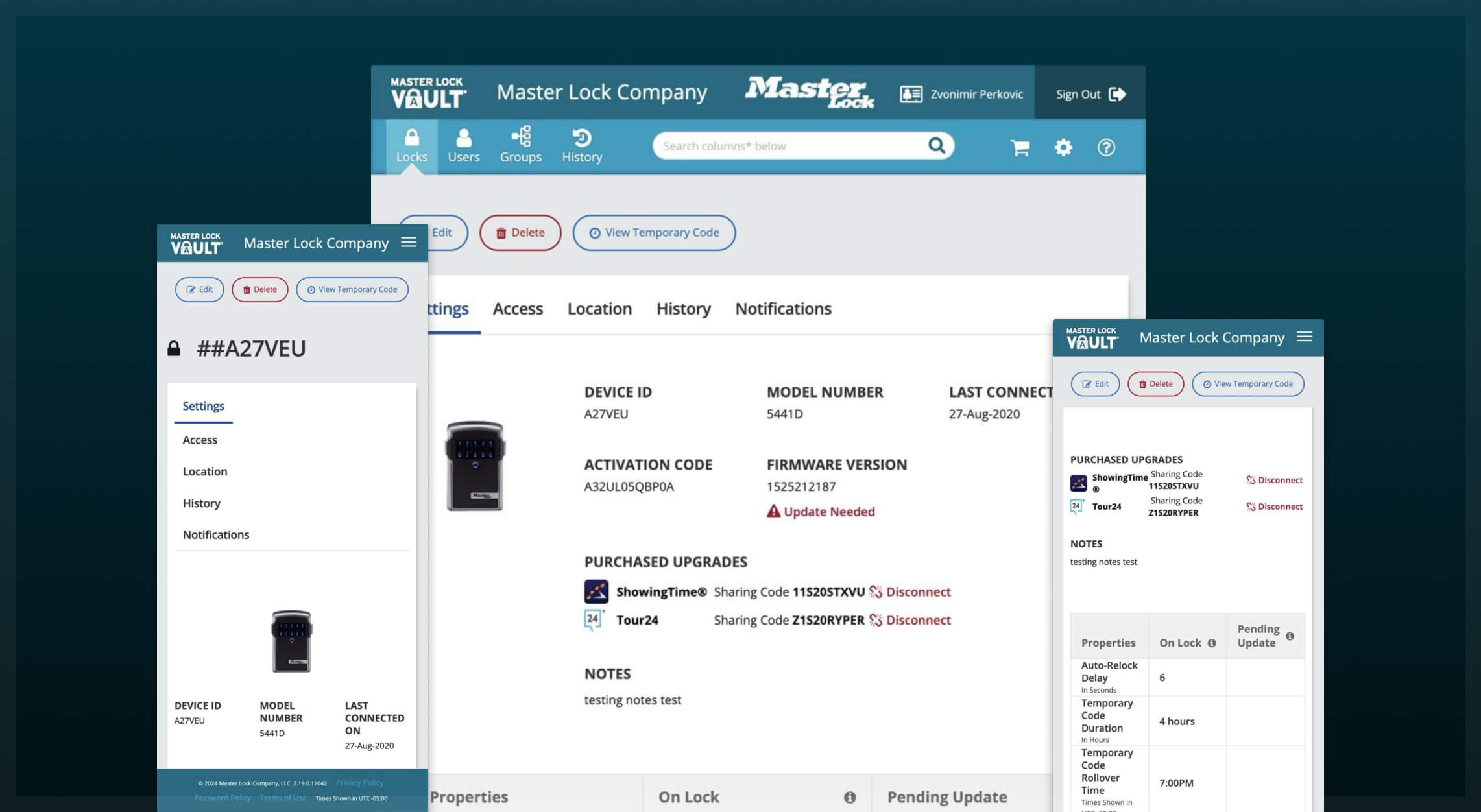
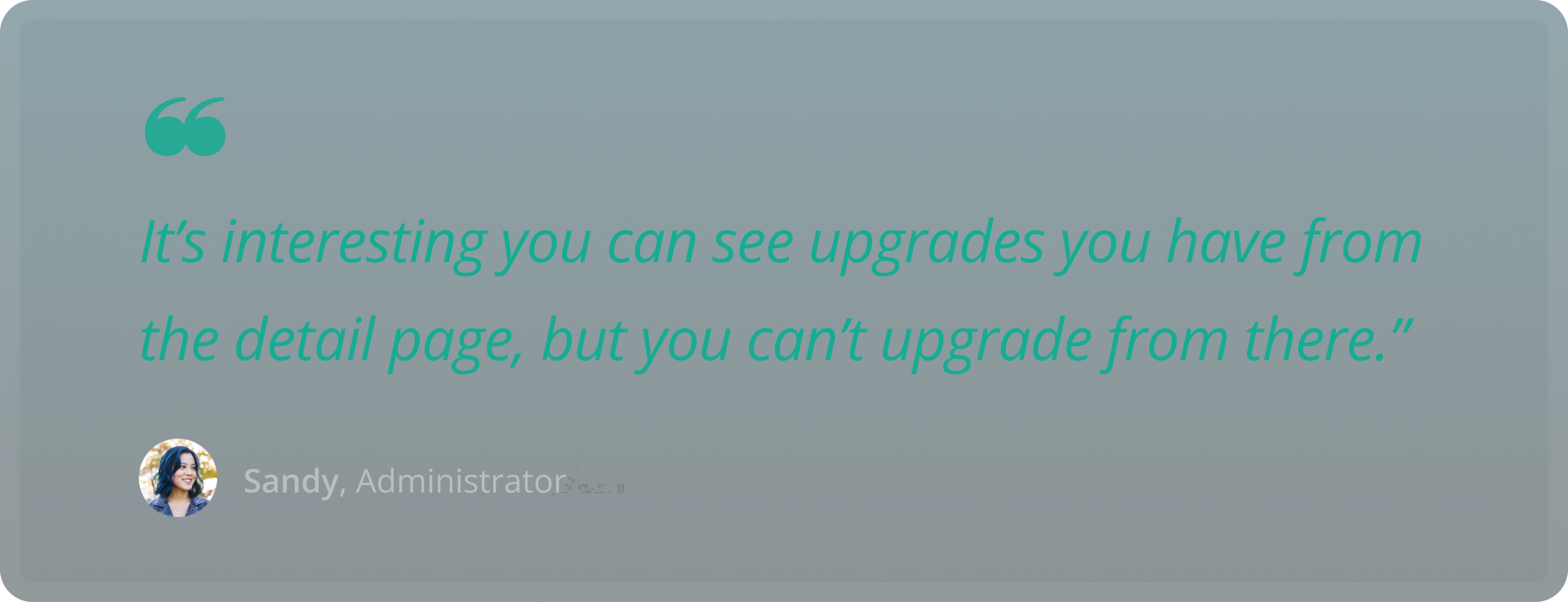
The lock details page, a central hub for viewing and managing individual locks, was a source of confusion. Customer feedback revealed and user testing confirmed that many users expected to upgrade a lock directly from this page but couldn’t. For example, 7 out of 11 users in our usability assessment tried to initiate an upgrade from the lock details screen first, only to find no clear option.
Objective
The goal was to redesign the lock details page to make it more intuitive and modern, enabling users to easily upgrade locks and access key information without frustration.
Process
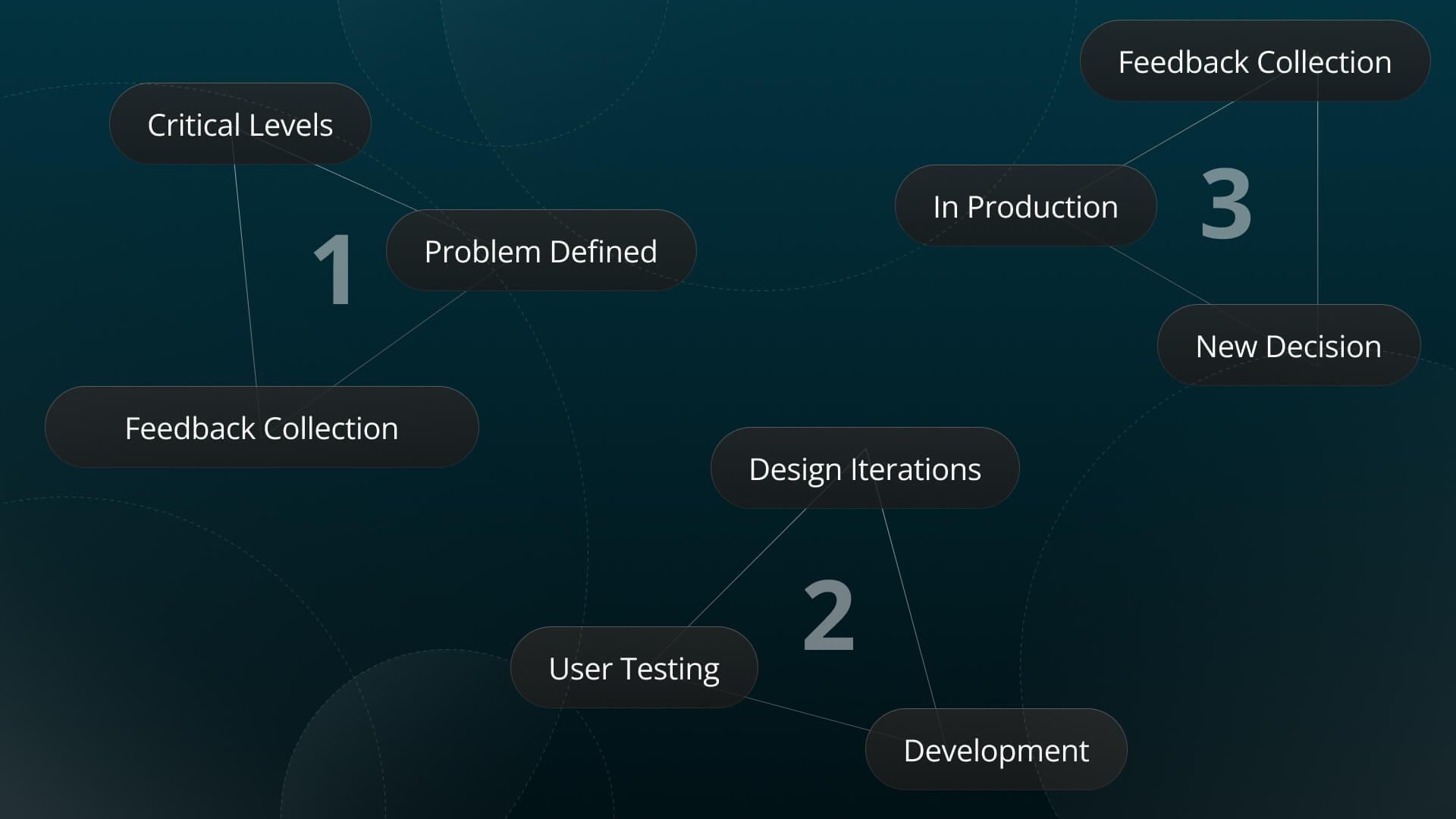
User Testing: I conducted assessments of the existing lock details page to pinpoint usability issues, focusing on tasks like adding codes and upgrading locks.
Feedback Collection: Gathered insights from users, confirming the upgrade confusion as a primary pain point.
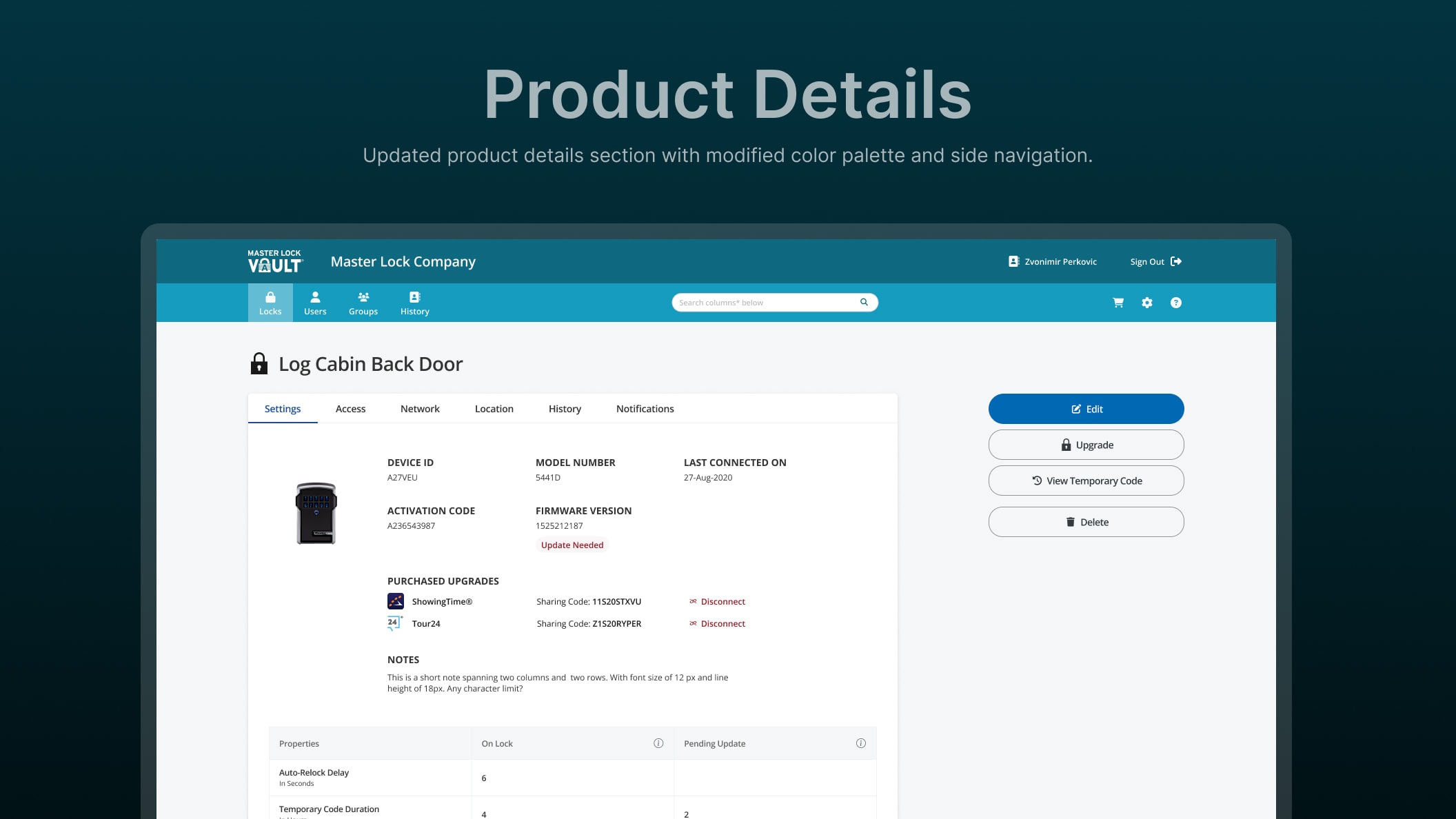
Design Iterations: Created new interfaces with clear calls-to-action, such as an "Upgrade Lock" button, and reorganized the layout for better information flow.
Validation: Tested these designs with users to ensure they addressed the identified issues.
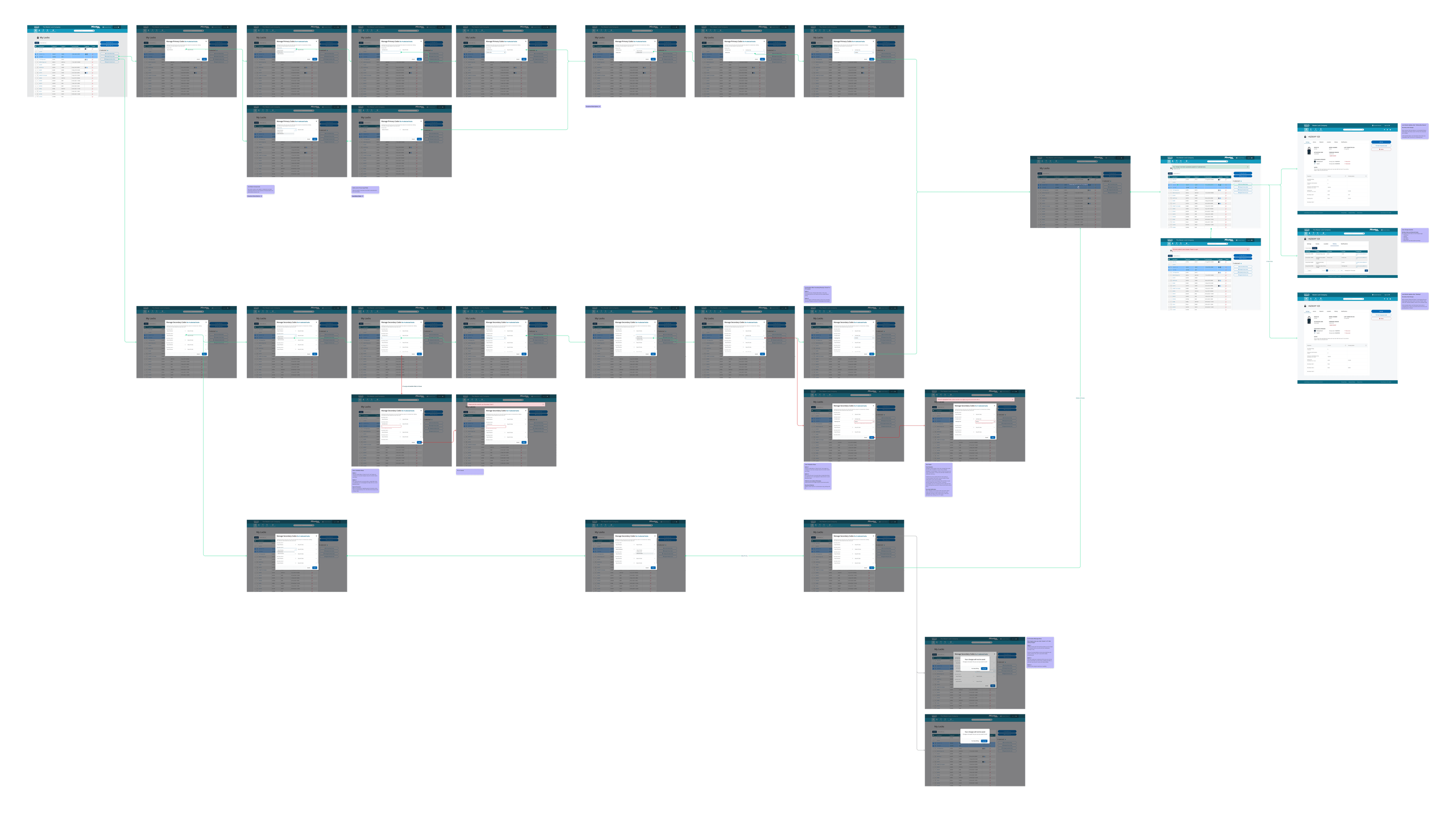
Developer Handoff: Produced detailed flows and assets to guide the development team in implementing the new design.
Solution
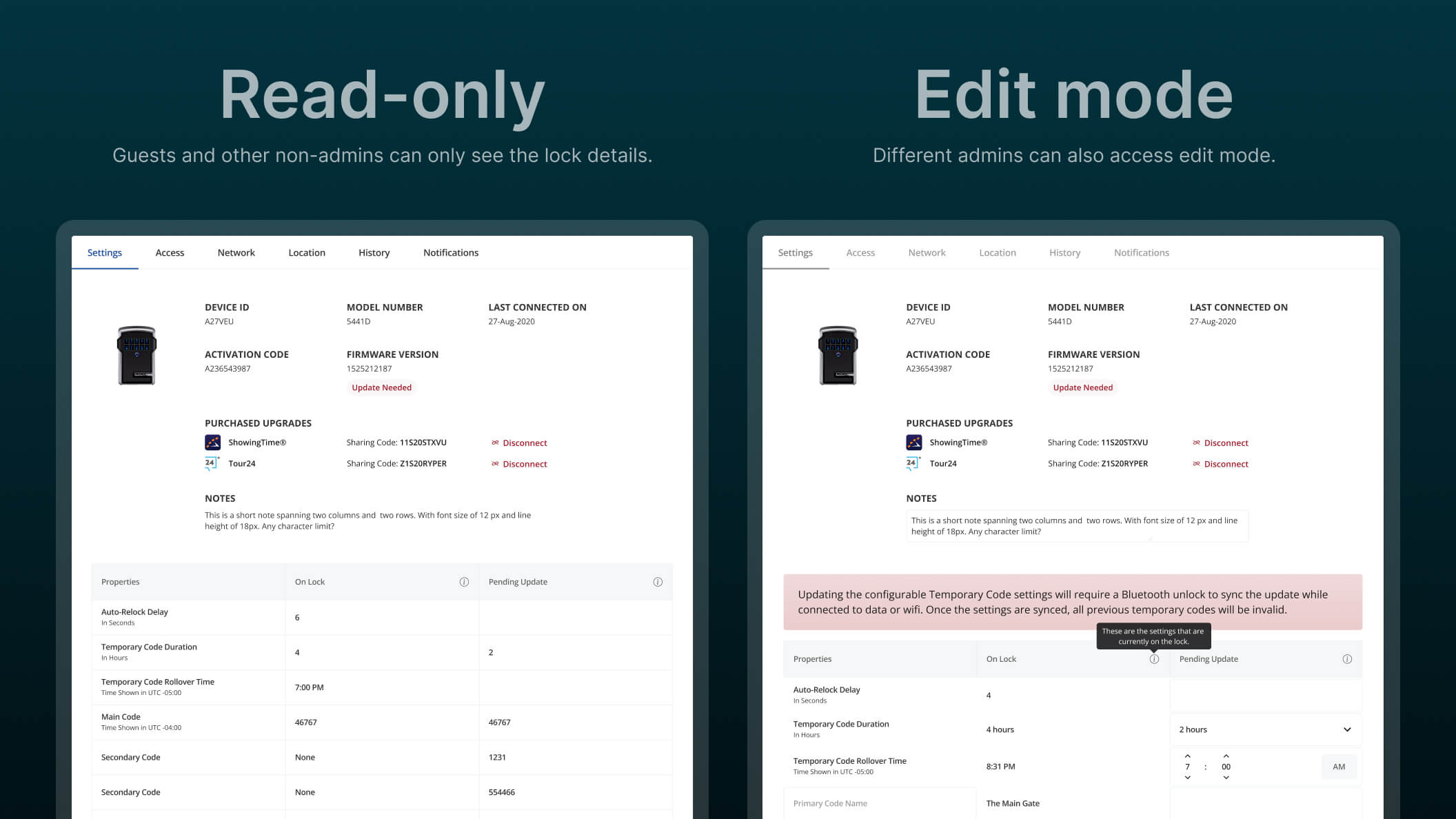
The redesigned lock details page now features a prominent "Upgrade Lock" button, allowing users to initiate upgrades directly. The layout was streamlined to present lock information—such as status, properties, and lock details in a logical, skimmable format.
Results
Reduced Confusion: Users no longer struggle to find upgrade options.
Enhanced Satisfaction: A clearer interface improves the overall user experience.
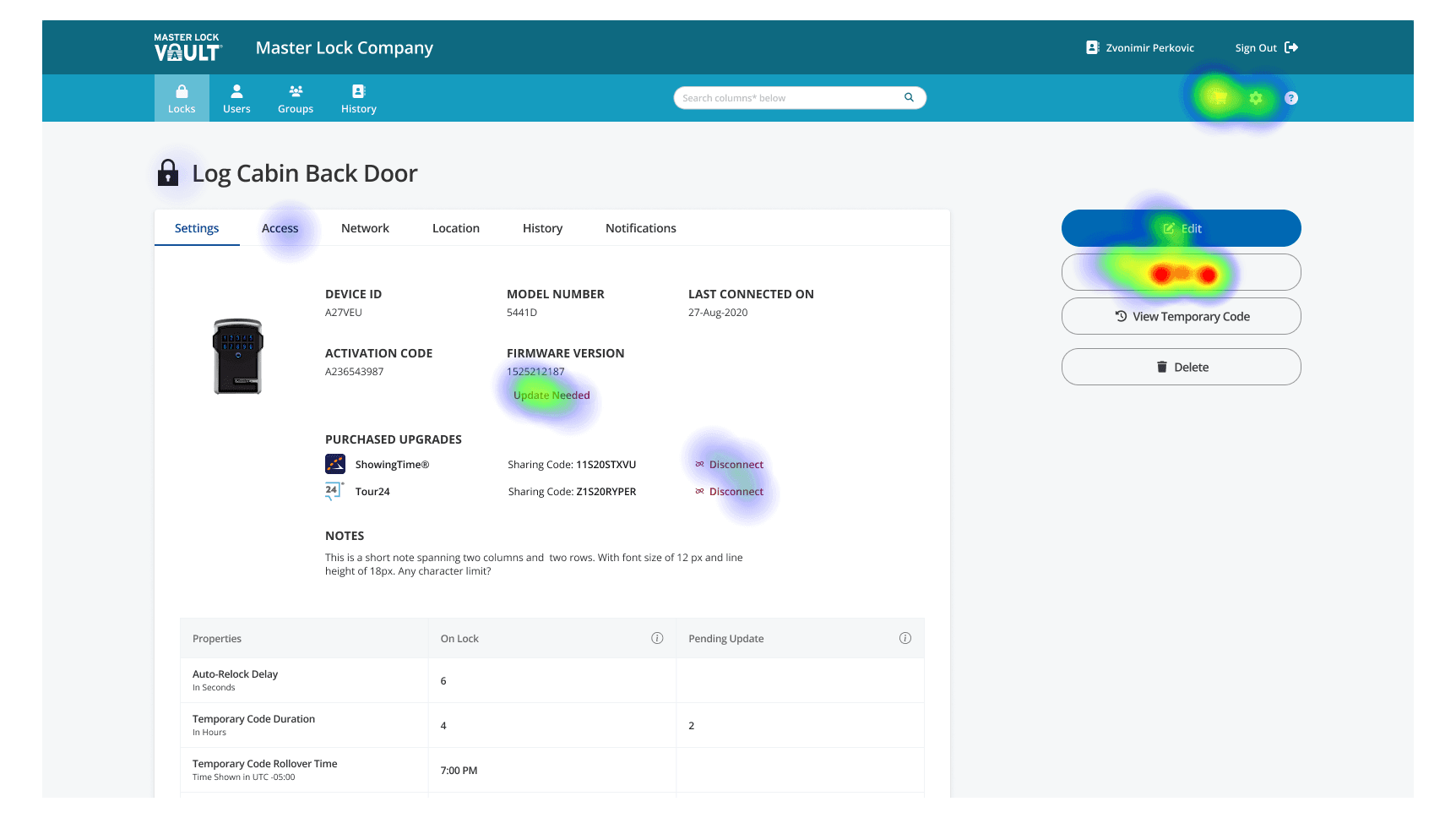
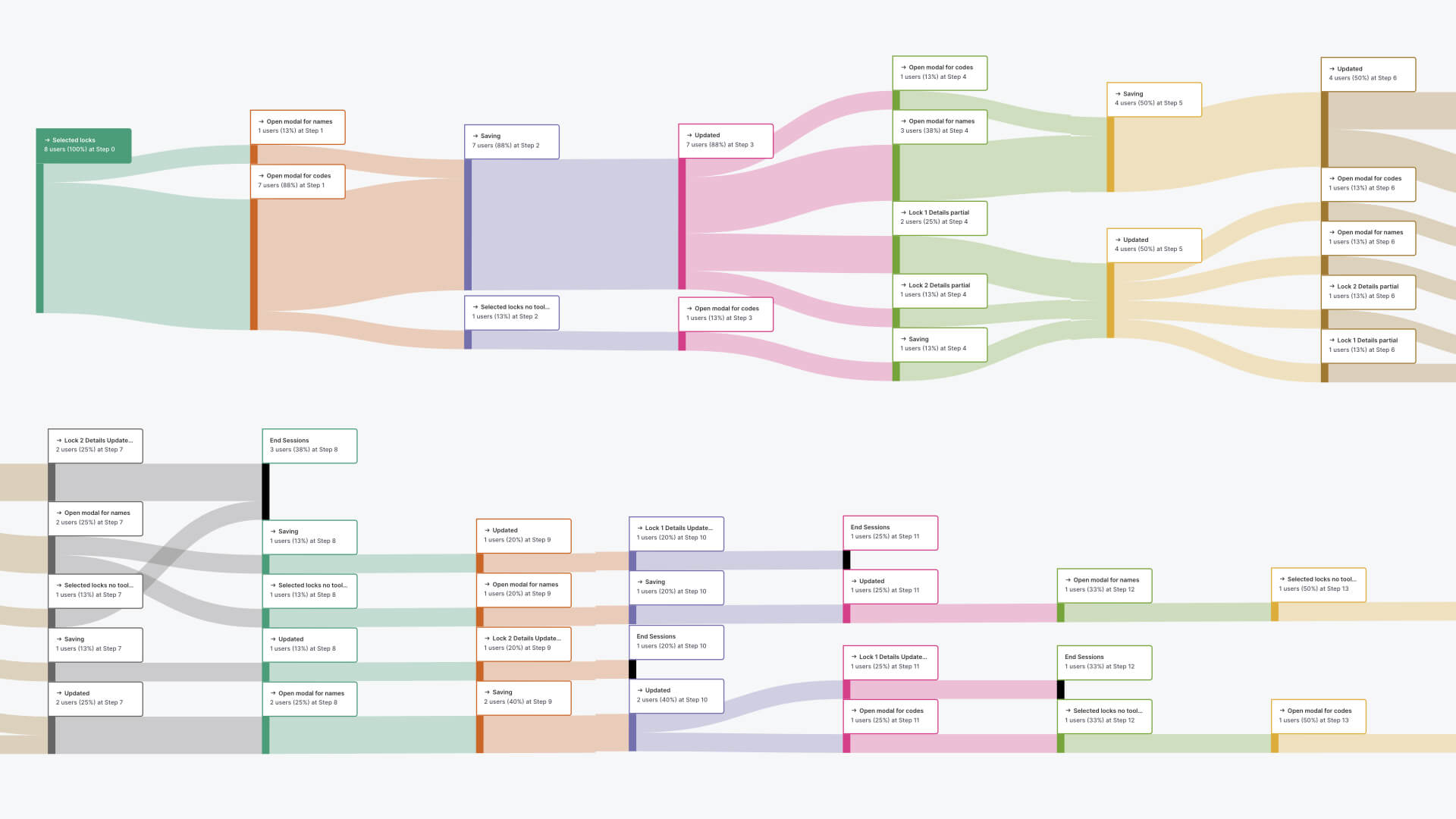
Heatmap of the redesigned lock details page showing user interactions after adding the 'Upgrade Lock' button. Some future refinement is still needed to make a further distinction between 'upgrades' and 'updates'.
2. Schedules and Billing Information
Problem
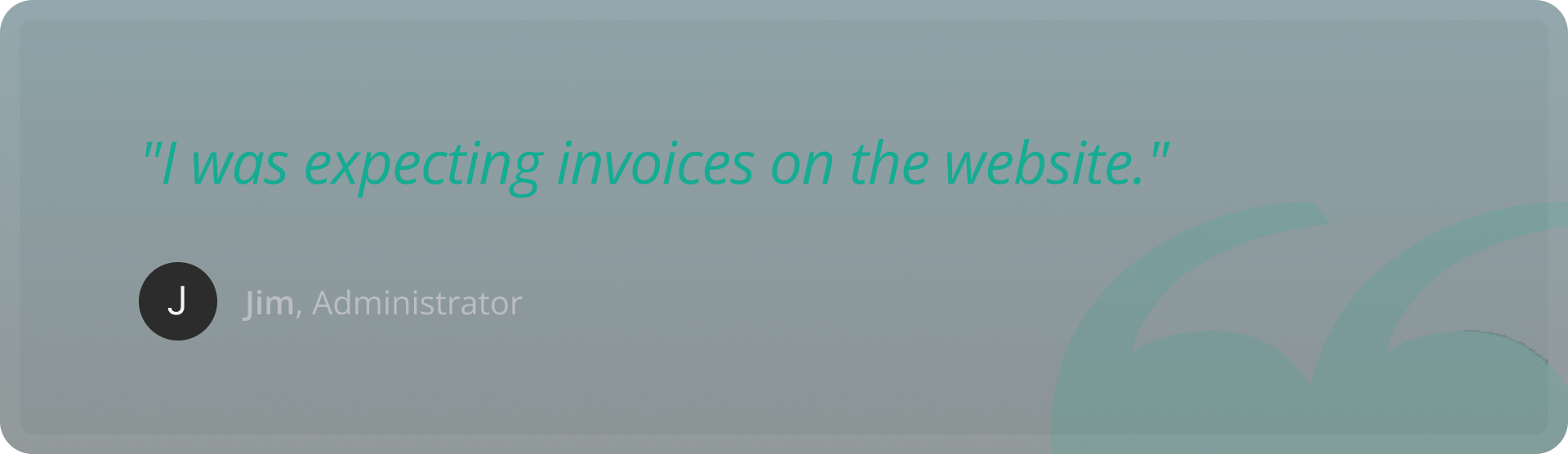
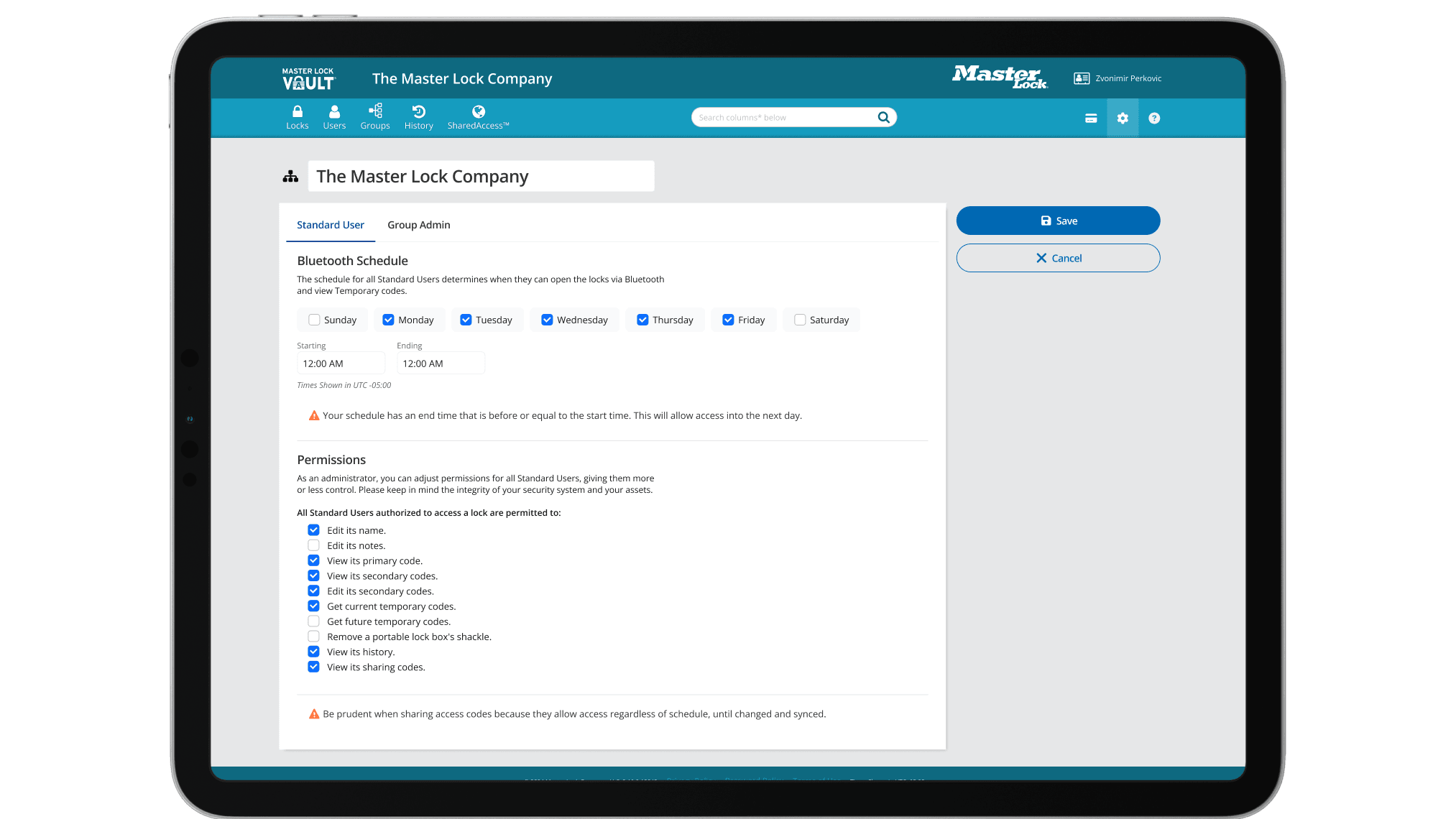
Admins faced two major challenges: accessing billing information and managing settings. They struggled to find invoices or payment details, often searching in user details or device history. Meanwhile, the settings page—housing user schedules and permissions—was plagued by poor information architecture and neglected UI.All users needed help finding an invoice.
Objective
We aimed to:
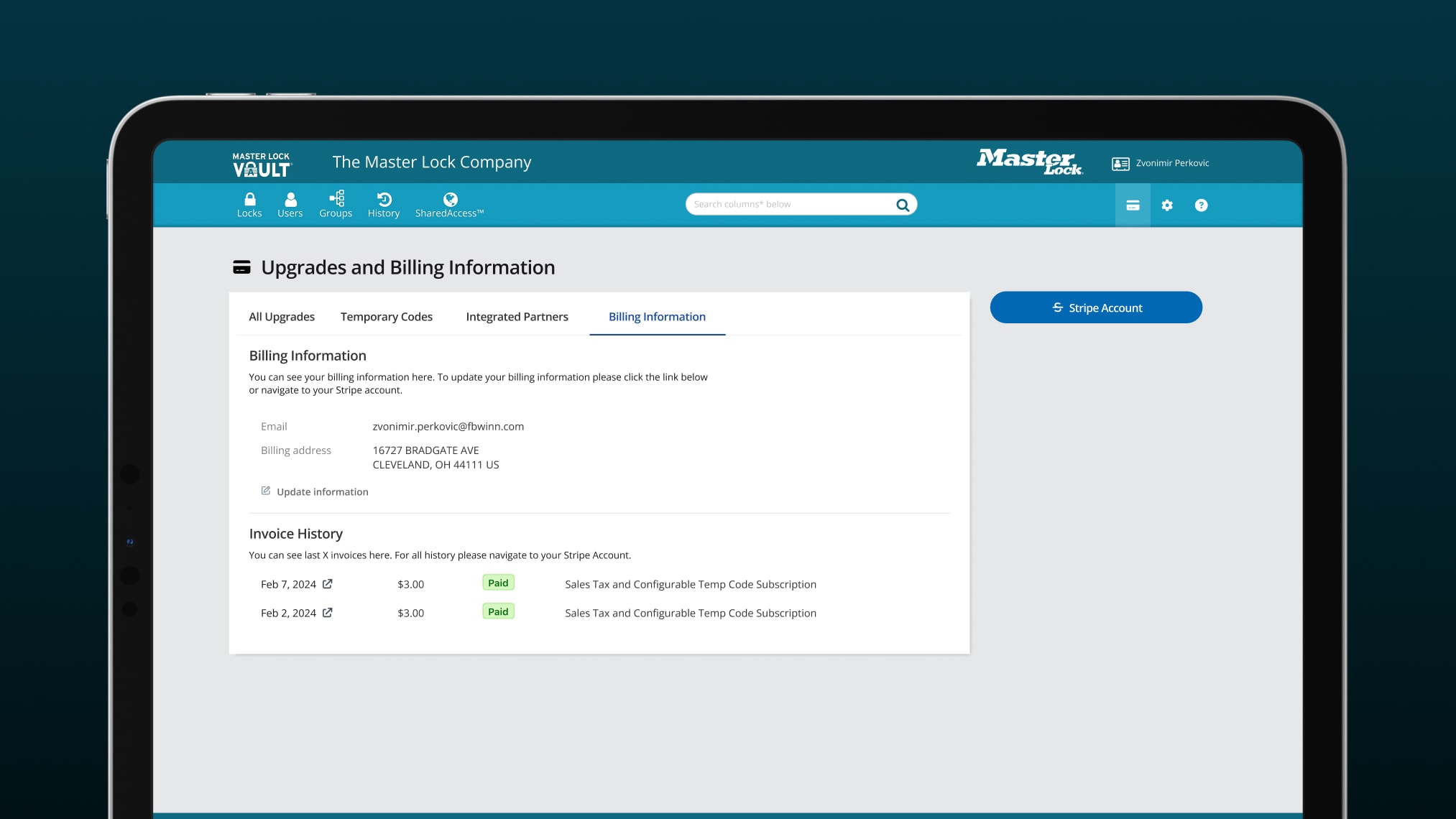
Create an "Upgrades and Billing" dashboard, accessible from the main navigation, for viewing upgrades and exporting invoices via Stripe.
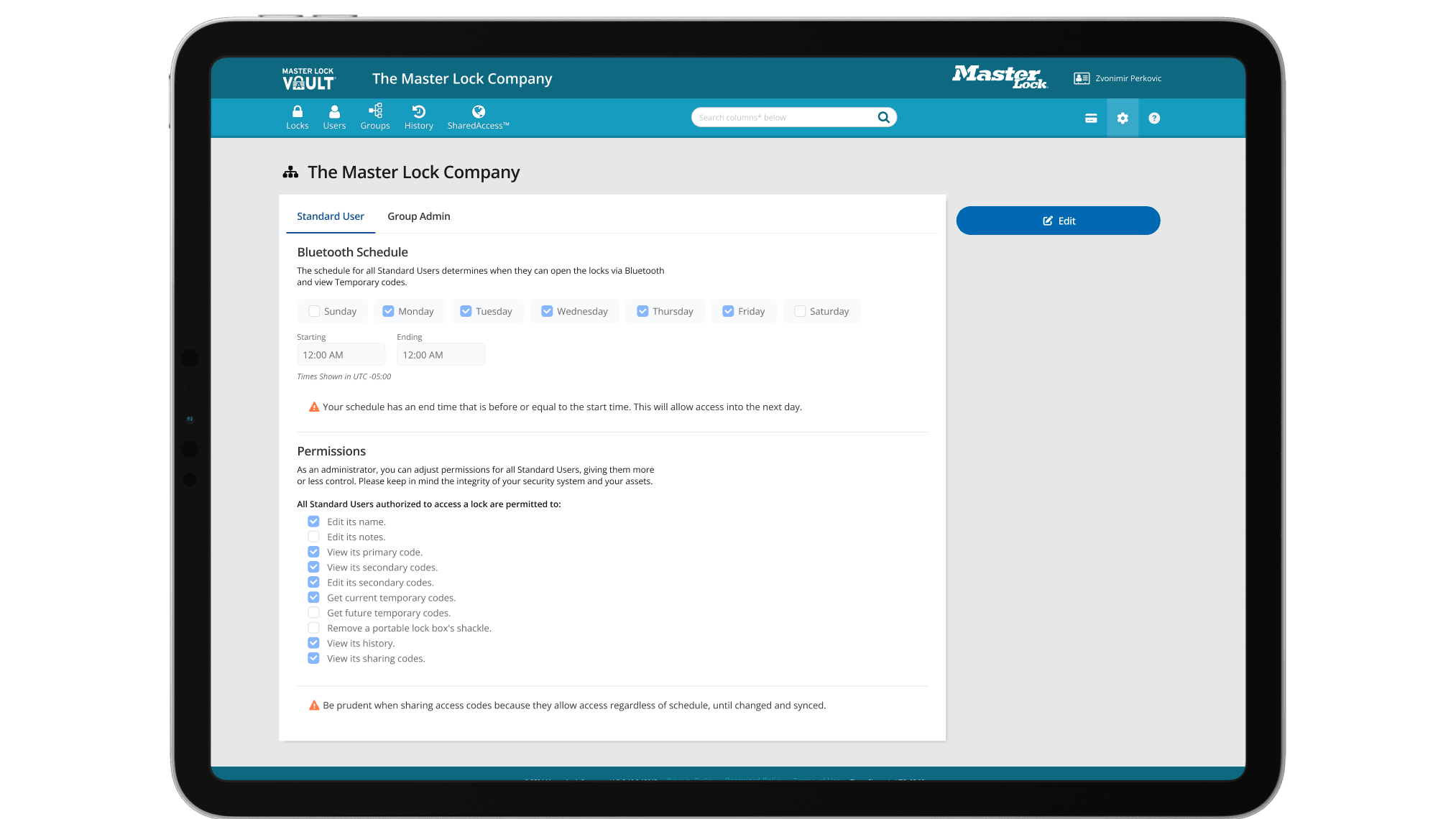
Redesign the settings page with a clear information architecture and improved UI for managing schedules and permissions.
Usability Assessment
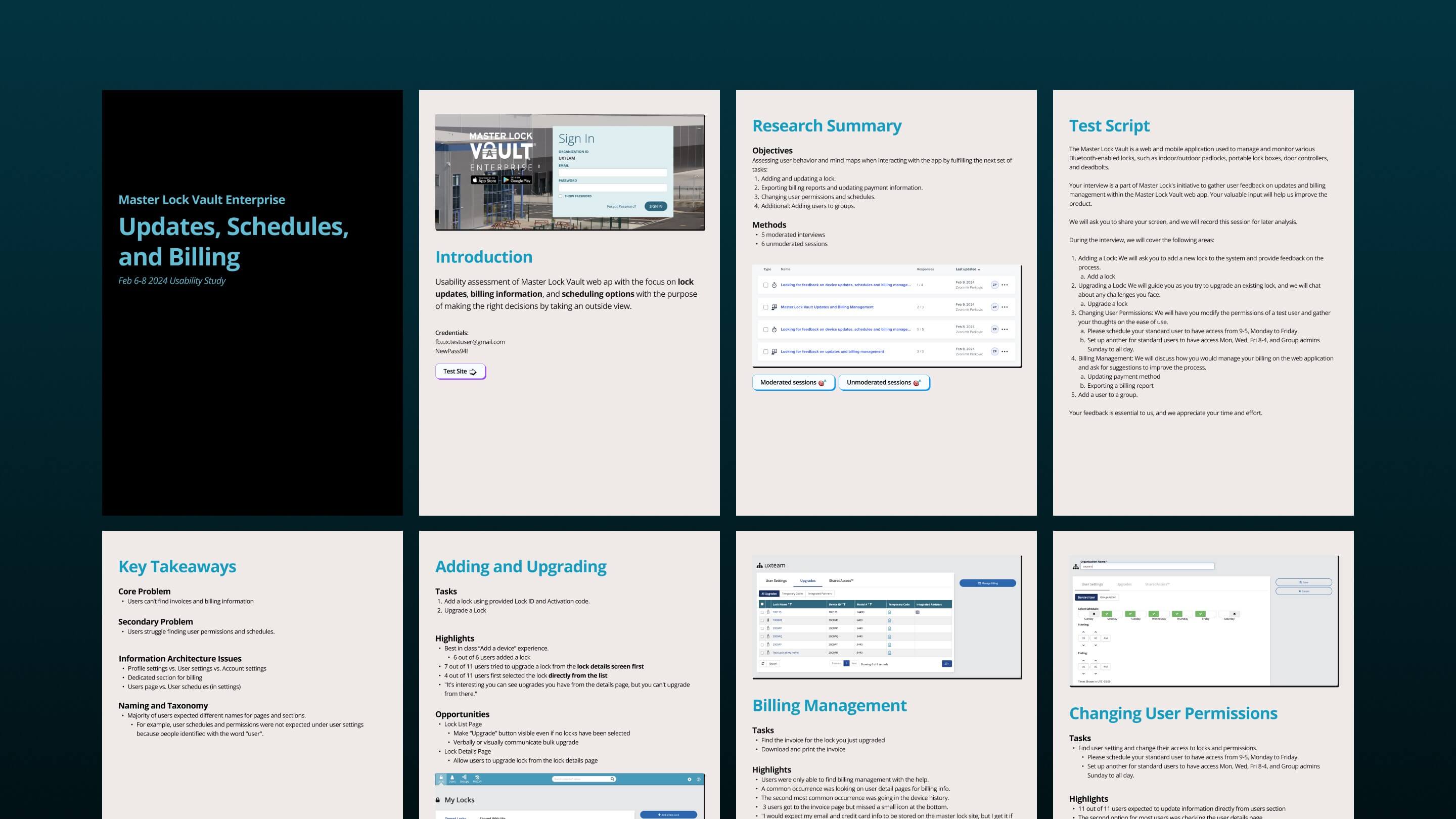
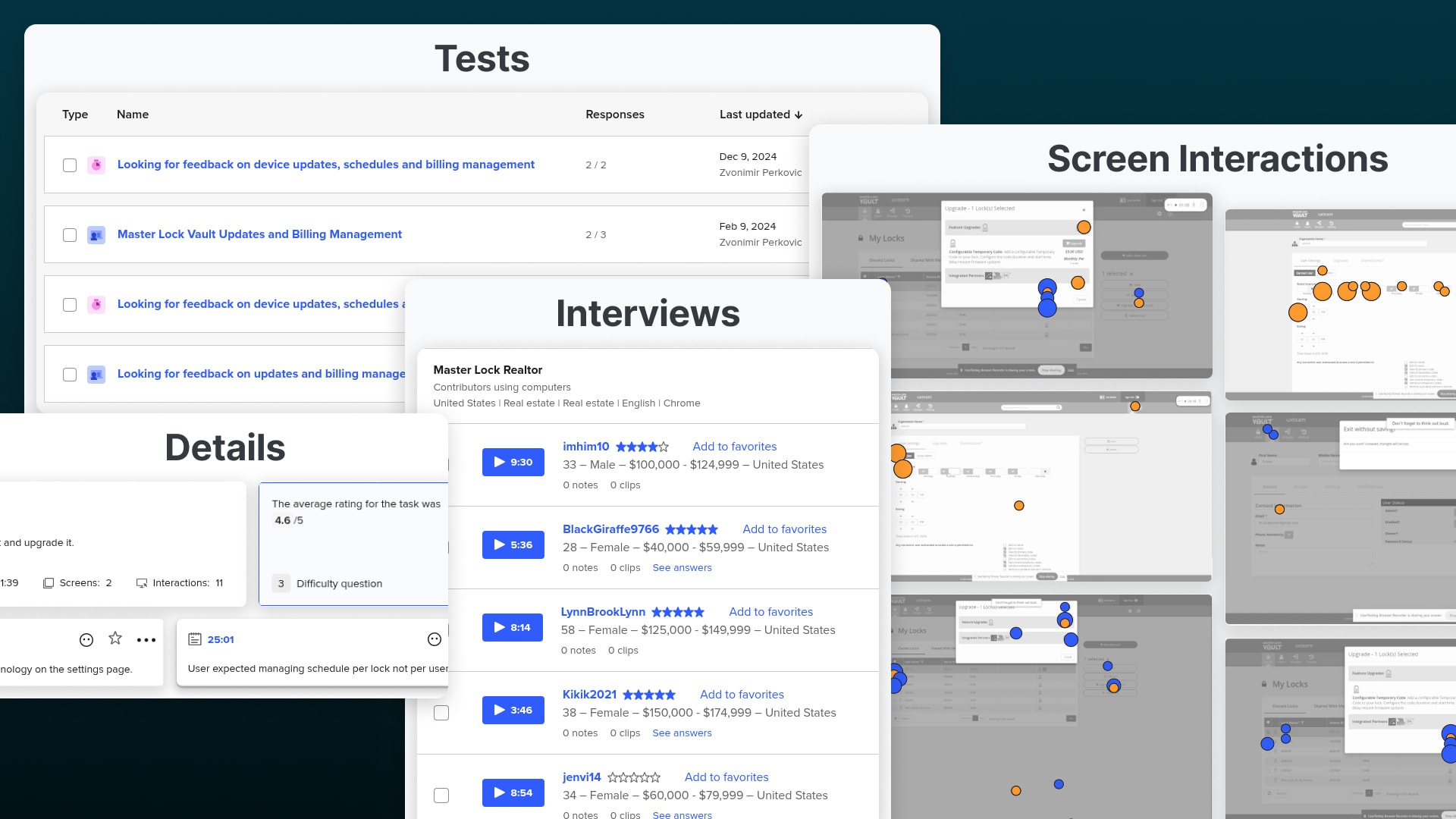
I conducted 5 moderated interviews and 6 unmoderated sessions to evaluate user behavior across tasks like billing management and permission changes. Key findings included:
Users struggled to locate billing information, with 3 missing a small invoice icon.
Settings confusion stemmed from overlapping categories (e.g., Profile vs. User vs. Account settings).
Solution
Upgrades and Billing Dashboard: Added to the main navigation, this dashboard provides a single view of all upgrades and payments, with a seamless link to Stripe’s billing page for invoice exports.
Settings Page Redesign: The new architecture organizes content into distinct, labeled sections—e.g., "Schedules & Permissions"—with an updated UI for effortless adjustments.
Results
Billing Access: Admins can now find and export invoices in seconds, reducing frustration.
Settings Clarity: Users manage schedules and permissions confidently, with fewer errors.
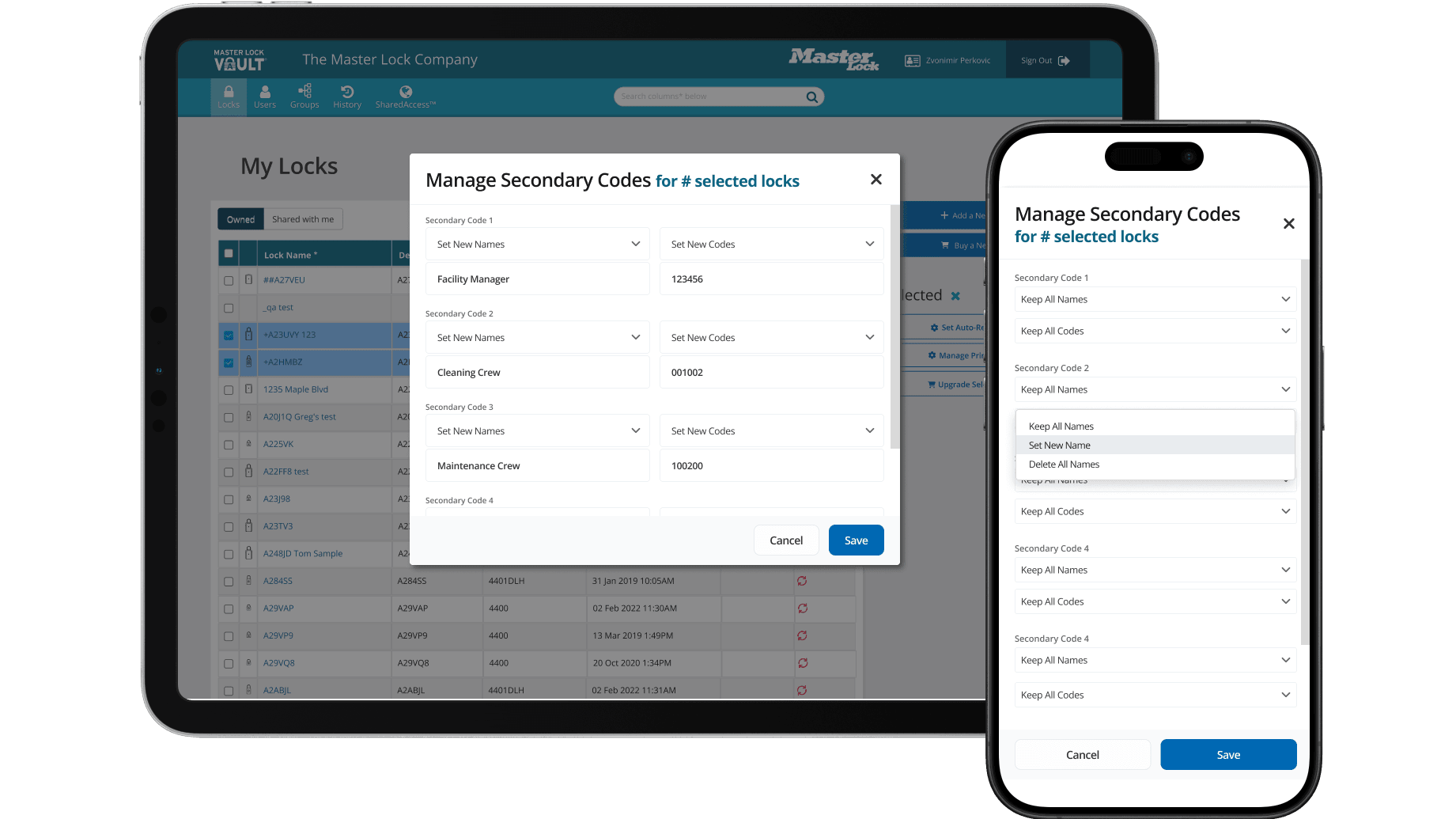
Admins managing multiple locks faced a tedious task: updating key names and codes individually. As one VE Admin expressed, "I want to update both name and code on any primary or secondary key at one place, so I don’t have to do it on individual locks." This inefficiency slowed workflows and frustrated users overseeing large lock inventories.
Objective
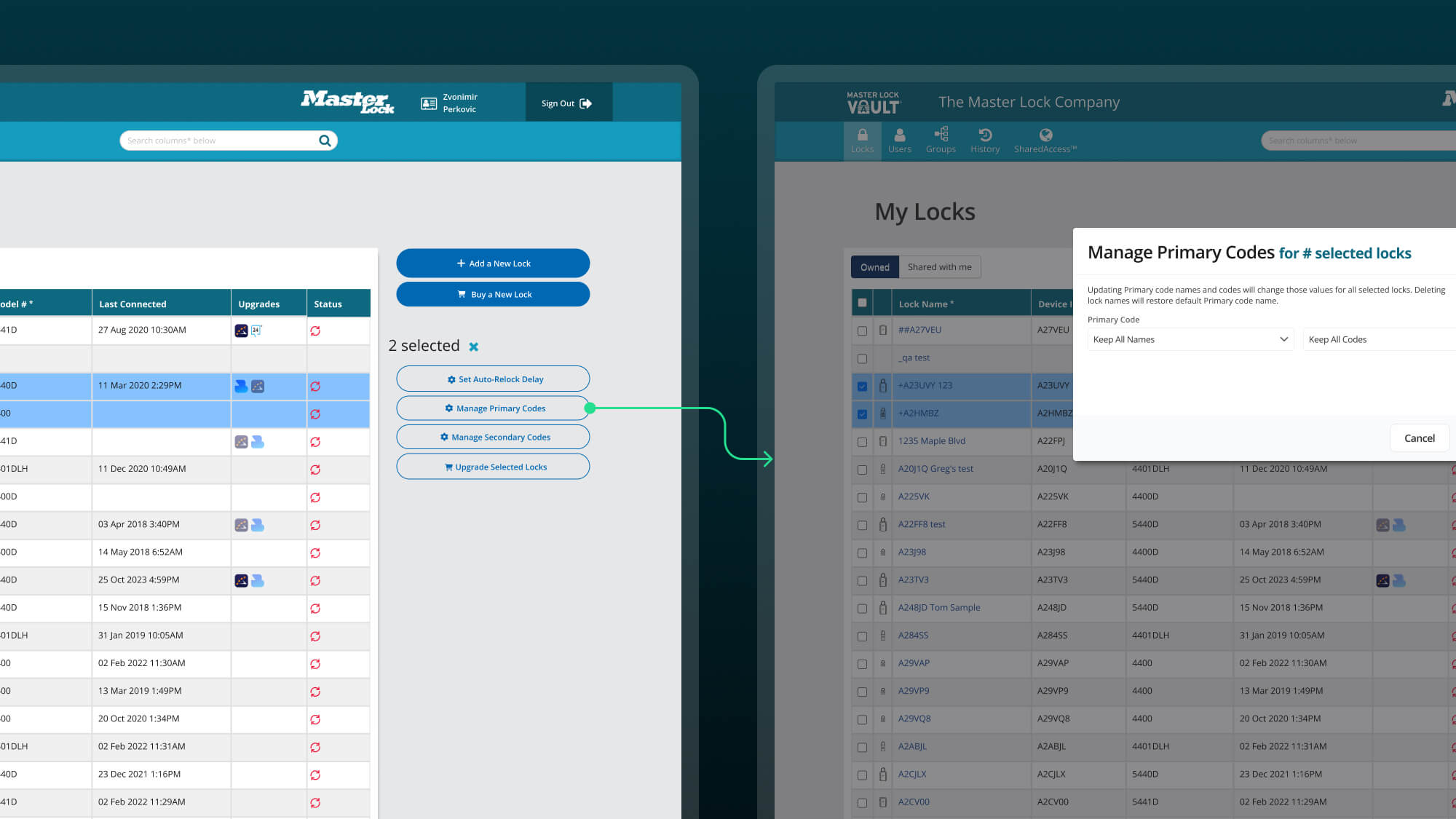
The goal was to implement a bulk update feature, allowing admins to modify names and codes for multiple keys simultaneously.
Process
Requirements Gathering: Collaborated with stakeholders and users to define the feature’s scope.
Design: Created an interface for selecting multiple keys and applying bulk updates to names and codes.
Integration: Ensured compatibility with the existing system.
User Testing: Confirmed the feature’s usability and effectiveness with target users.
Solution
The new bulk update feature enables admins to select multiple keys—primary or secondary—and update their names and codes in one action. A clean, table-based interface simplifies the process, replacing repetitive individual edits with a single, efficient workflow.
Results
Time Savings: Updates that once took hours now take minutes.
User Satisfaction: A simplified task enhances the admin experience.
Conclusion
The Master Lock Vault Enterprise Web app’s transformation addressed long-standing pain points through targeted UX/UI updates. The redesigned lock details page eliminated upgrade confusion, the new billing dashboard and settings overhaul clarified critical admin tasks, and the bulk update feature streamlined key management. Together, these changes turned a neglected app into a user-friendly, efficient tool.User feedback and testing drove every decision, ensuring the solutions met real needs. Post-redesign testing showed higher task completion rates, reflecting the impact of our user-centered approach. Moving forward, we plan to monitor usage data and gather additional feedback to refine the app further.This project highlights the power of thoughtful design to revitalize a complex product, delivering measurable improvements for users and stakeholders alike.