My Role: Product Design Lead Timeline: 6 months Platforms: iOS and Android
Overview
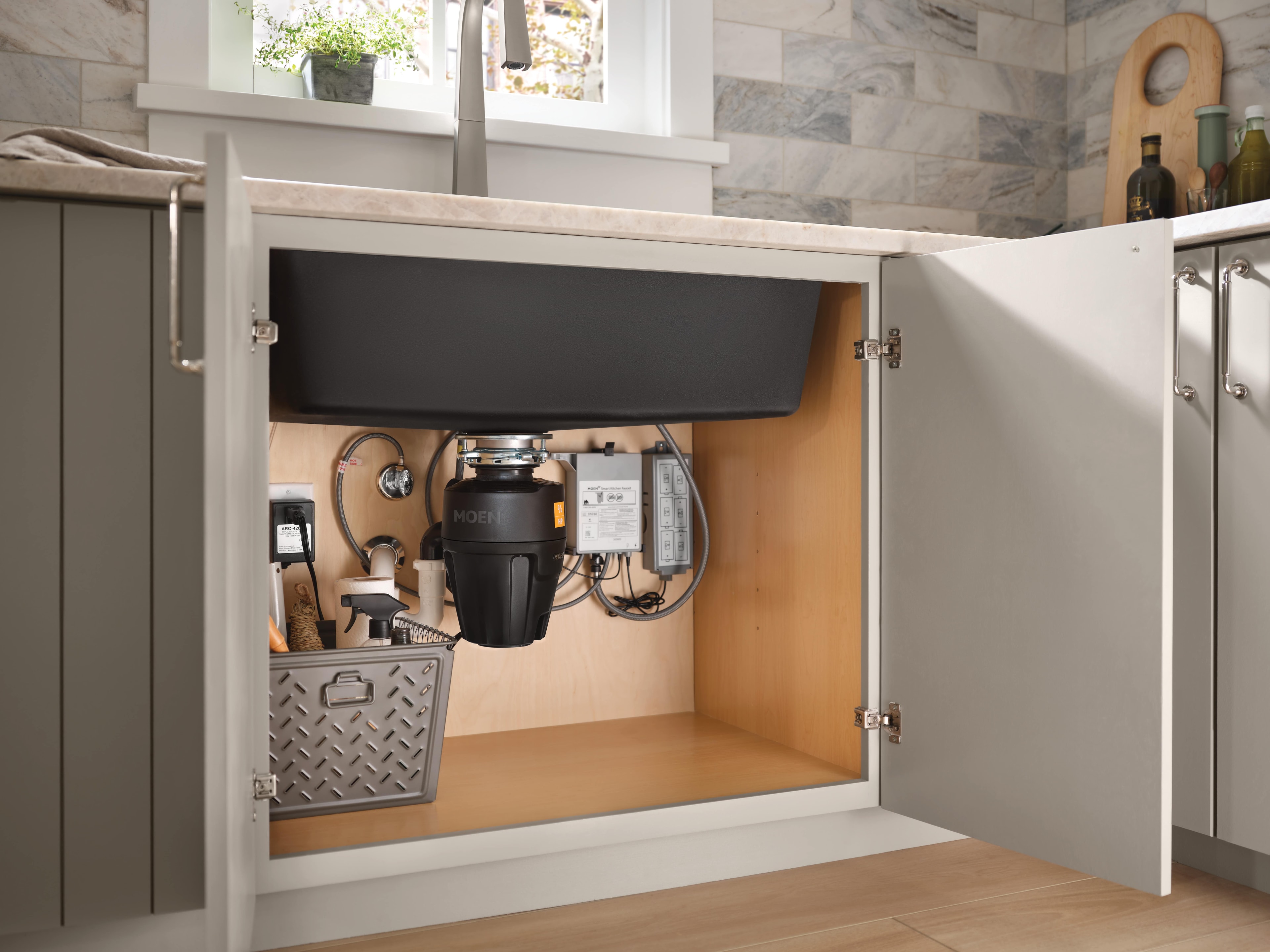
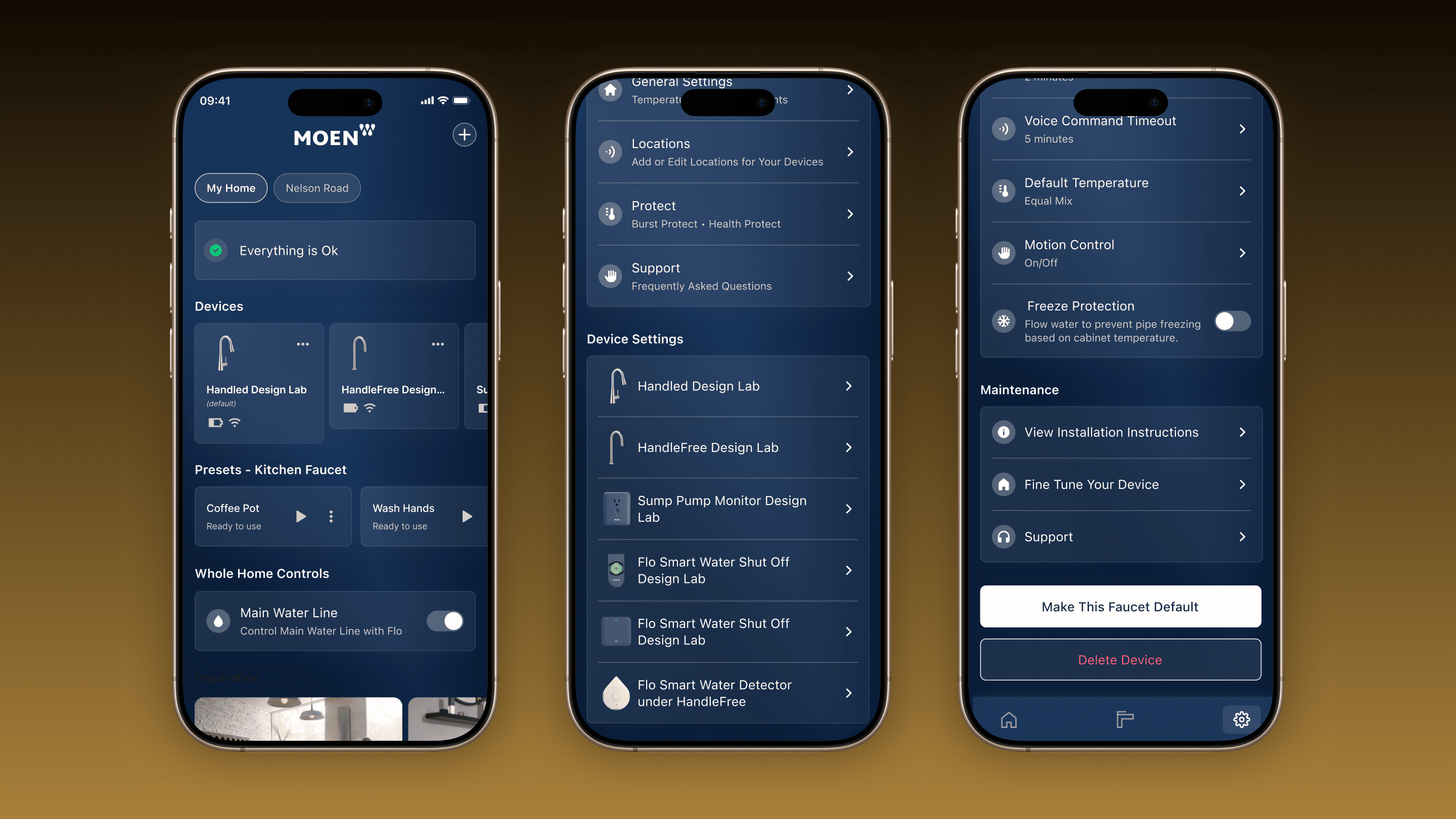
The Moen Smart Faucet with Motion Control is a cutting-edge kitchen faucet that redefines water control. Using advanced sensor technology, it allows users to adjust flow and temperature via hand gestures, voice commands through Amazon Alexa or Google Home, or the Moen Smart Water Network app.As the Product Design Lead, I spearheaded the UX design efforts to make this innovative product intuitive and accessible for users over a four-month project.
My Contribution
As a single designer on the ambitious project of addressing the core smart faucet issues I led design efforts that involved:
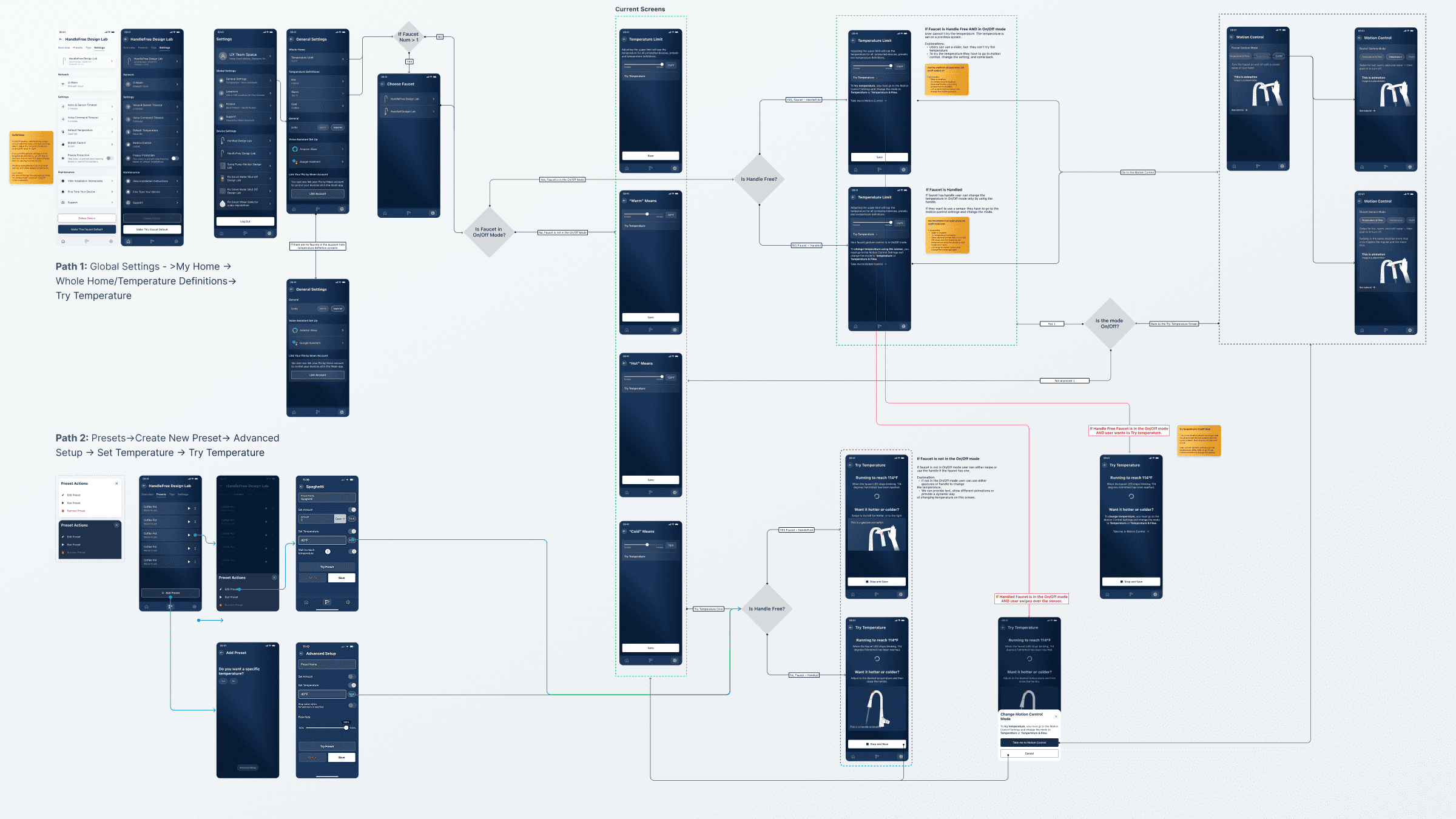
Developing user flows, high-fidelity prototypes, illustrations and animations libraries.
Design system updates.
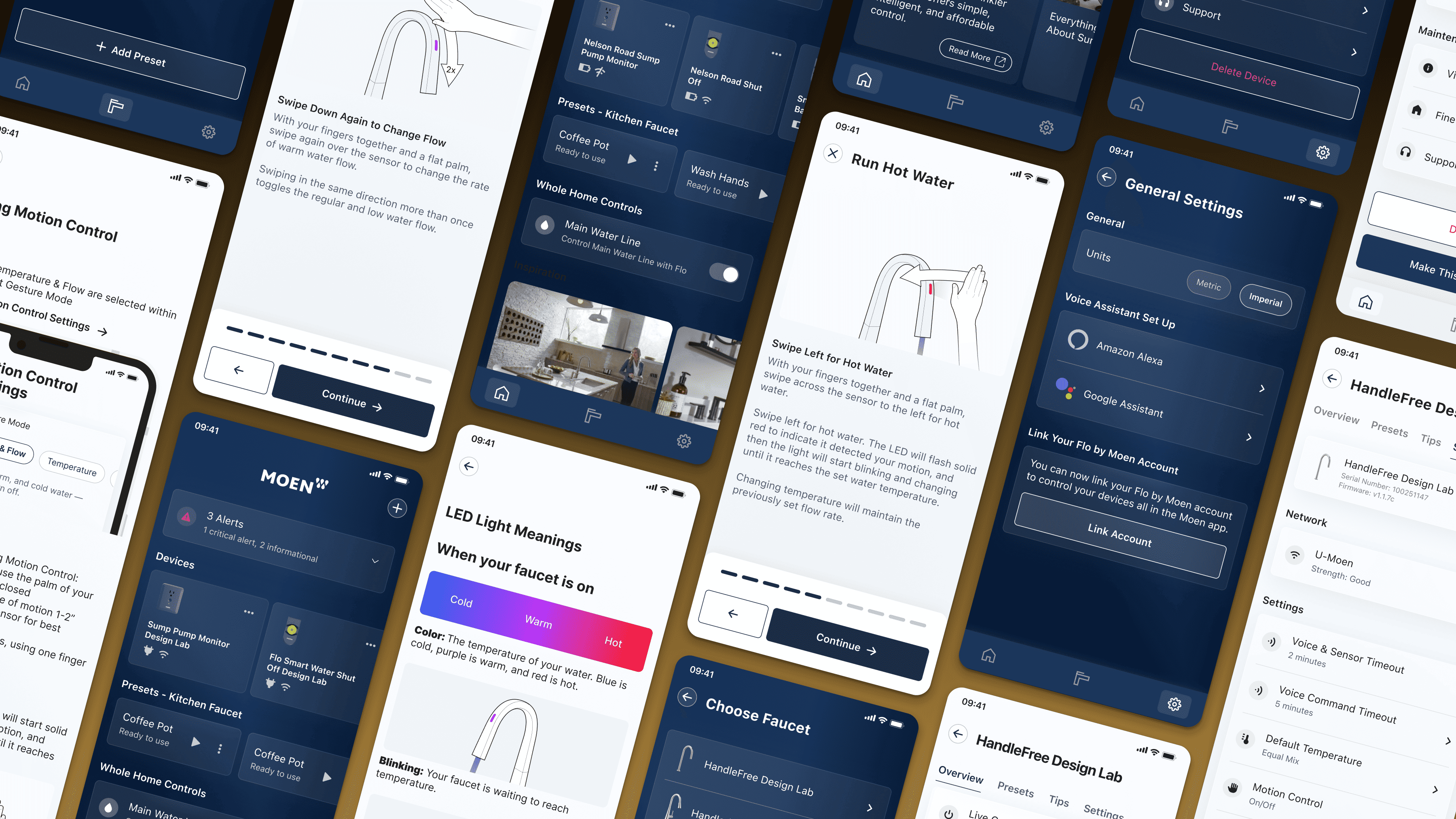
Creating clear, user-friendly instructions, tips and tutorials within the SWN application.
Conducting extensive usability testing and iterating designs based on user feedback.
Optimizing the app's design for integration with Amazon Alexa and Google Home.
The Challenge
Preliminary research revealed two core usability issues:
Mental Model Shift: A handle-free faucet challenged users’ traditional expectations of faucet operation, requiring significant retraining.
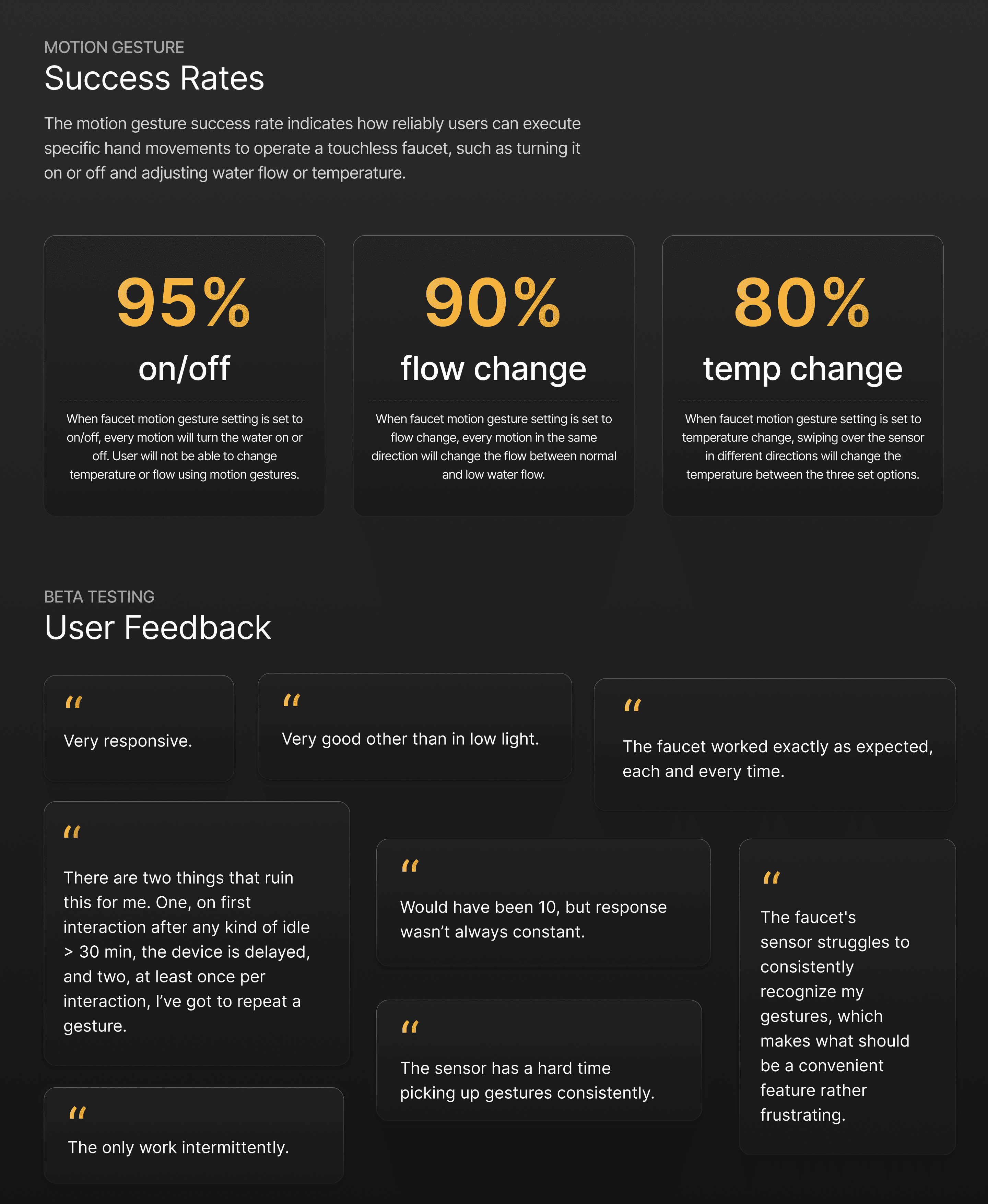
Gesture Success Rate: Motion control performance didn’t meet user expectations, highlighting the need for improved gesture training.
Our solution? Leverage the Smart Water Network app to retrain users effectively.
Research and Planning
To inform my approach, I studied apps from five smart home brands (thermostats, cameras, and motion-tracking devices) and visited Target and Best Buy to test similar products hands-on. This research underscored the need for intuitive, engaging training experiences.I broke the design process into three stages:
Enhance Core Features: Improve temperature, flow, and sensor controls in the app.
Update Visuals: Revamp illustrations, animations, and content (including French translations), and create the first motion design system.
Test & Refine: Validate high-fidelity prototypes via UserTesting and guerrilla tests, ensuring accessibility in light and dark modes.
Temperature Control
The original Temperature Control experience for the Moen Smart Faucet left users frustrated. Without a traditional handle, setting and adjusting the temperature was unintuitive, especially in homes with multiple faucets or when using voice commands.The gesture-based controls also suffered from low tutorial completion rates and poor retention, as users struggled to learn and apply them confidently. User feedback highlighted these pain points, with low engagement and frequent errors undermining the smart faucet’s potential.
Setting a Temperature
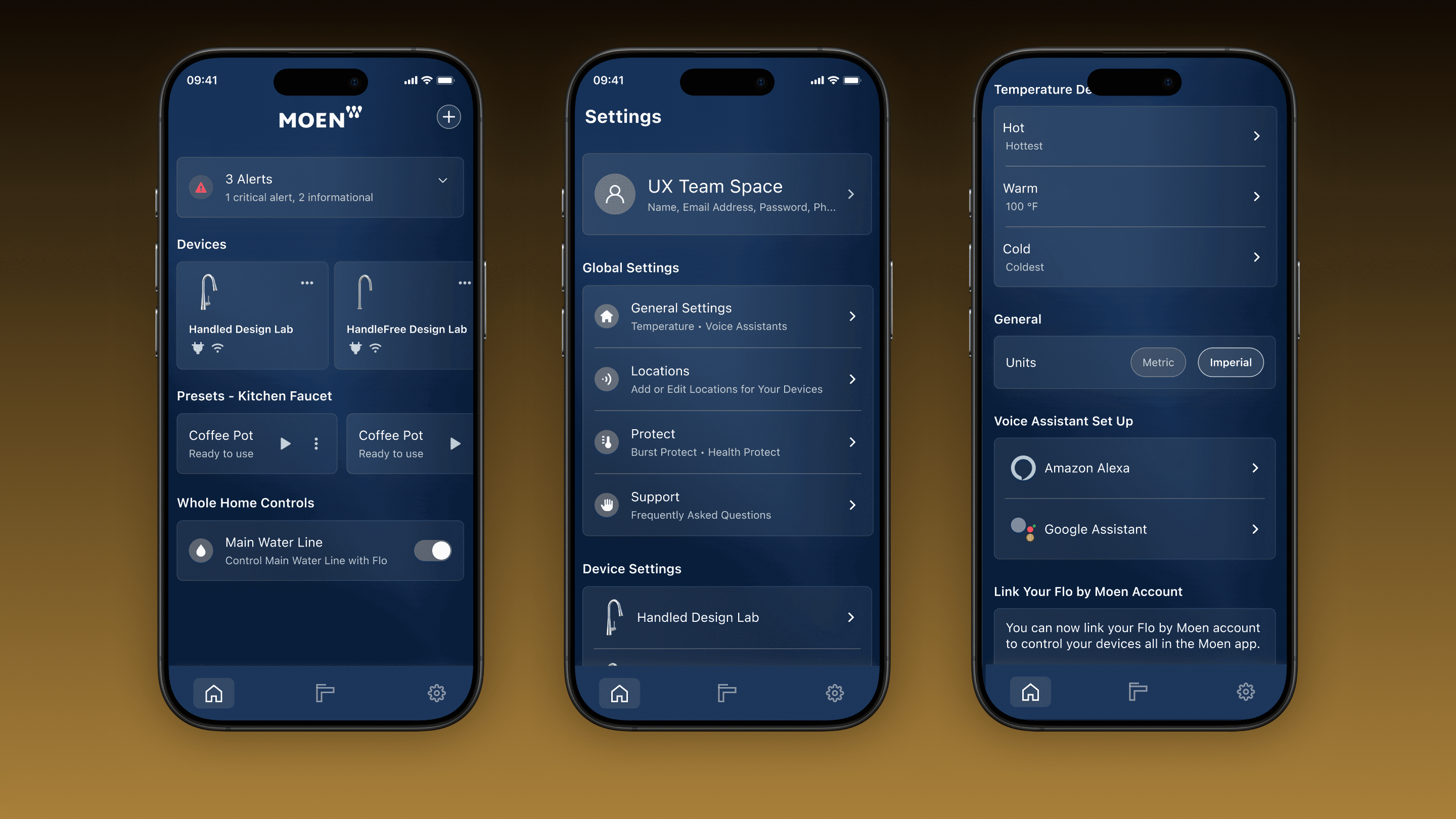
Under "Setting the Temperature," I tackled three specific problems to empower users with control and confidence:
Try and Save Feature
Handling Multiple Faucets
Voice Command Integration
Try and Save Feature
Problem: Users couldn’t test the water temperature before committing to a setting, leading to hesitation and dissatisfaction.Solution: I designed a "Set and Try" feature, allowing users to run the water at their chosen temperature, feel it, and tweak it in real-time before saving. This hands-on approach bridged the gap between digital input and physical feedback.
Handling Multiple Faucets
Problem: In households with multiple smart faucets, users struggled to set temperatures for specific faucets without confusion.Solution: I created a scalable flow where users could select a faucet, set its temperature, and save the setting—all within a clear, streamlined interface. This made the app adaptable to any home setup.
Voice Command Integration
Problem: Users wanted to adjust temperatures hands-free via voice but lacked guidance on how to do so effectively.Solution: I developed flows and screens that seamlessly integrated voice commands (e.g., via Alexa or Google Home), guiding users through setup and adjustments with clear prompts and confirmations.
Using Motion Gestures
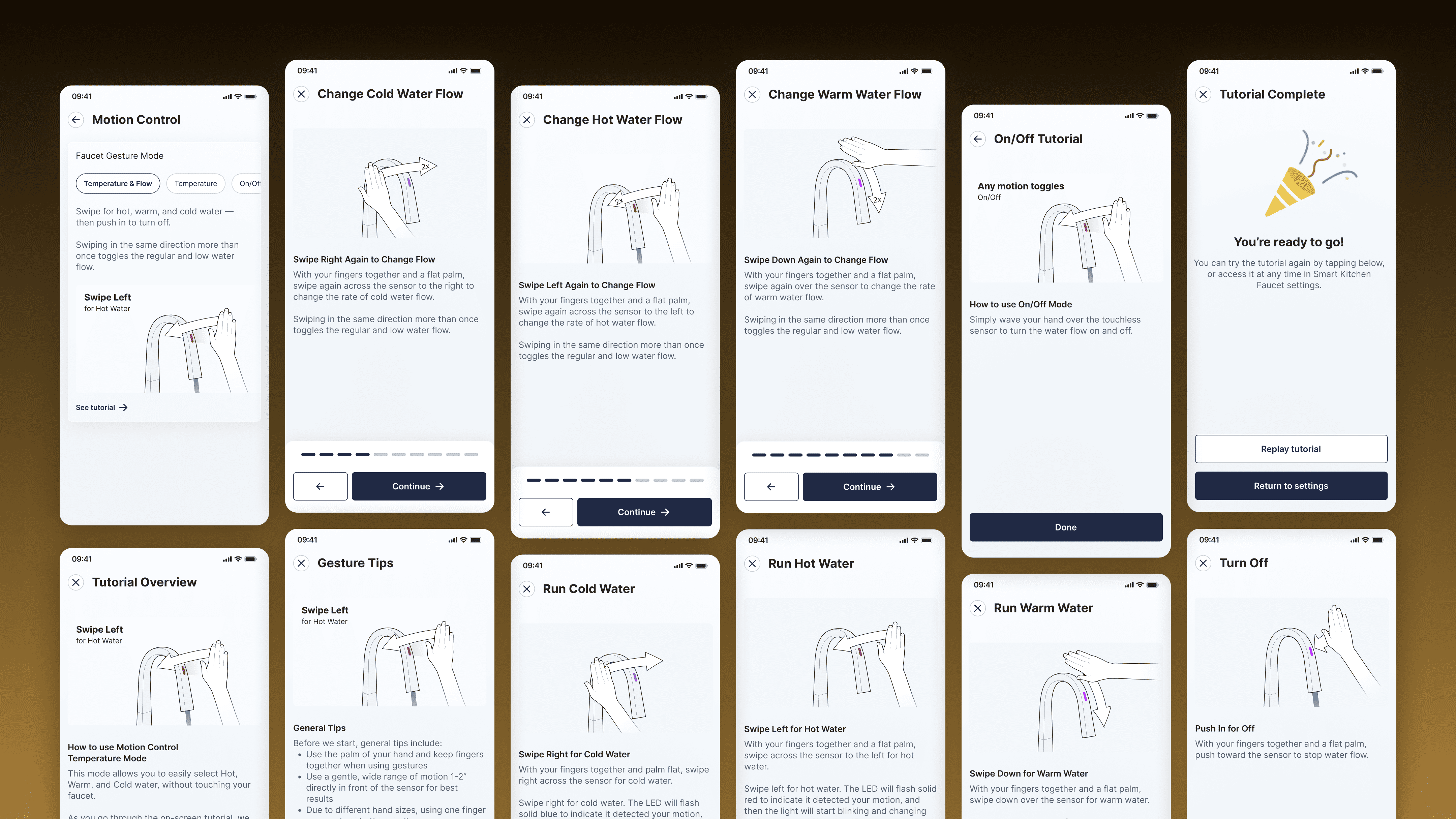
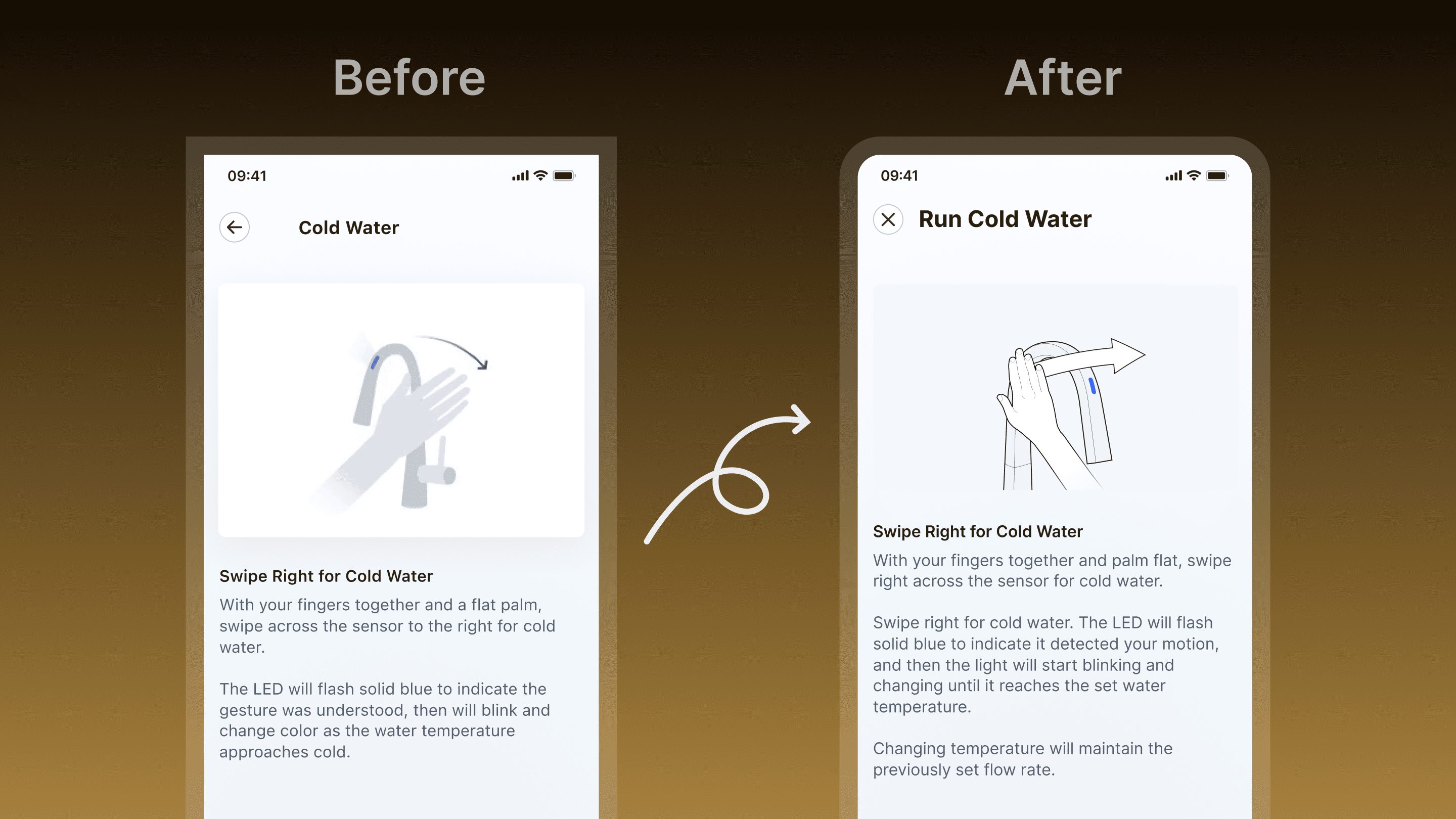
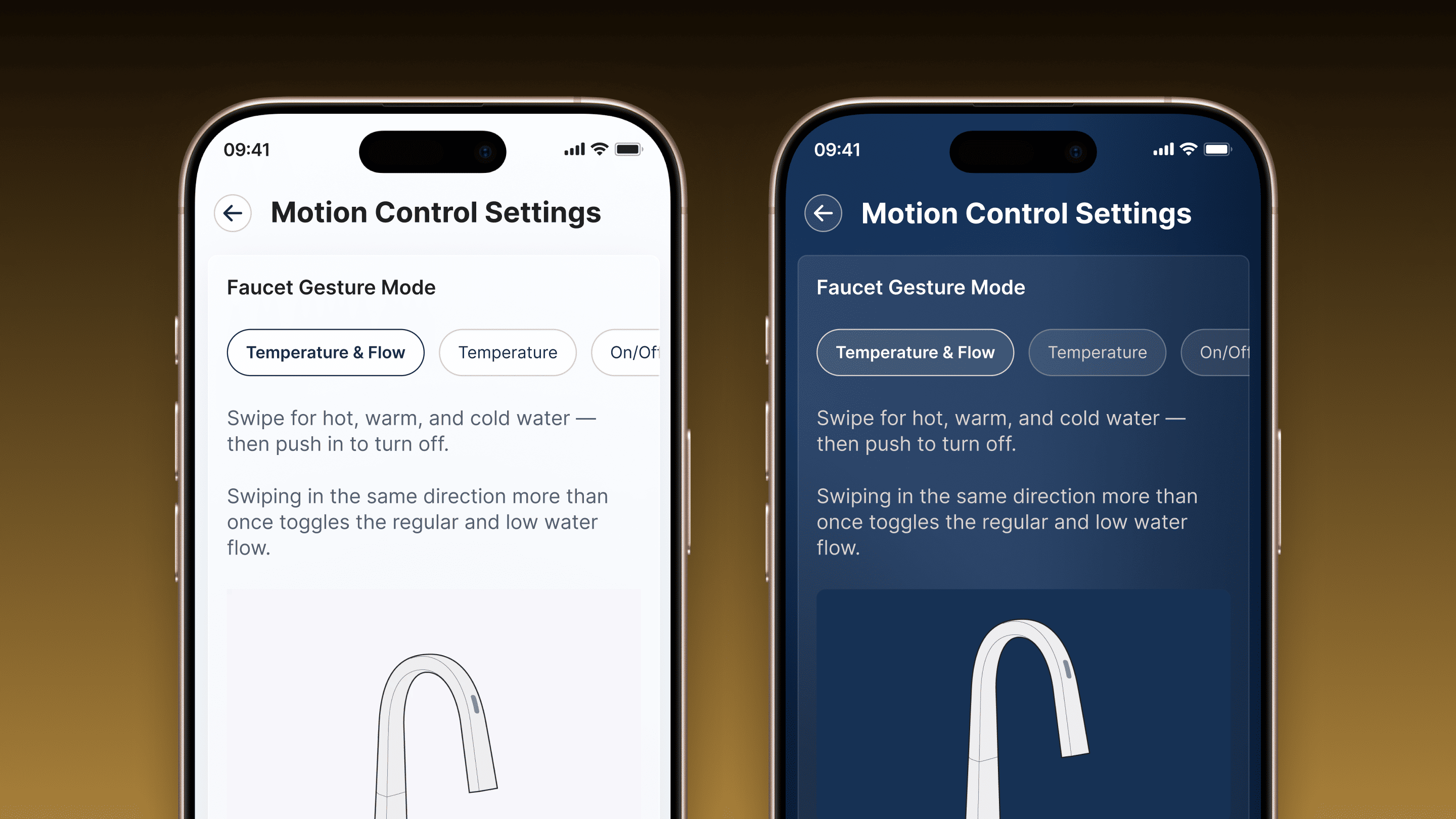
Problem: The original gesture tutorial was dry and ineffective, resulting in low engagement and poor gesture accuracy. Users couldn’t retain how to use gestures for flow, temperature, or On/Off controls.Solution: I overhauled the tutorial into a detailed, gamified experience covering all gesture modes. By introducing sharp, interactive animations and clear step-by-step guidance, I made learning fun and memorable. The new animations provided visual cues that improved gesture precision.Outcome: User testing revealed a marked increase in gesture accuracy and confidence, with higher tutorial completion rates.
The Impact
These changes transformed the Temperature Control experience:
The "Set and Try" feature reduced user frustration by letting them experiment confidently.
Multiple faucet flows made the app versatile and user-friendly for complex households.
Voice command integration added convenience and accessibility.
The gamified tutorial boosted engagement and gesture success rates, turning a pain point into a strength.
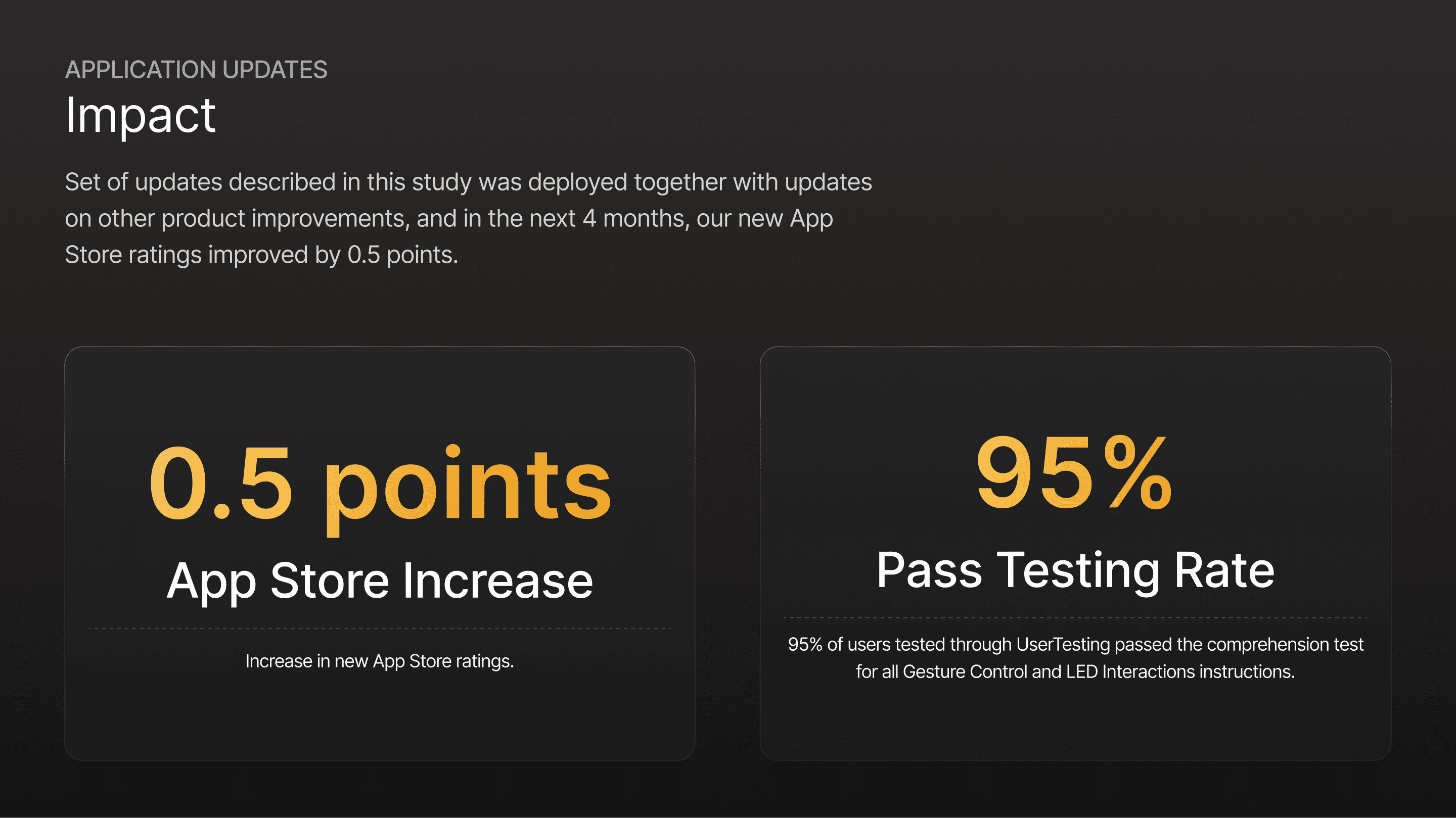
Together, these improvements contributed to a 0.5-point increase in app store ratings, reflecting a more intuitive and enjoyable user experience.
Flow Control
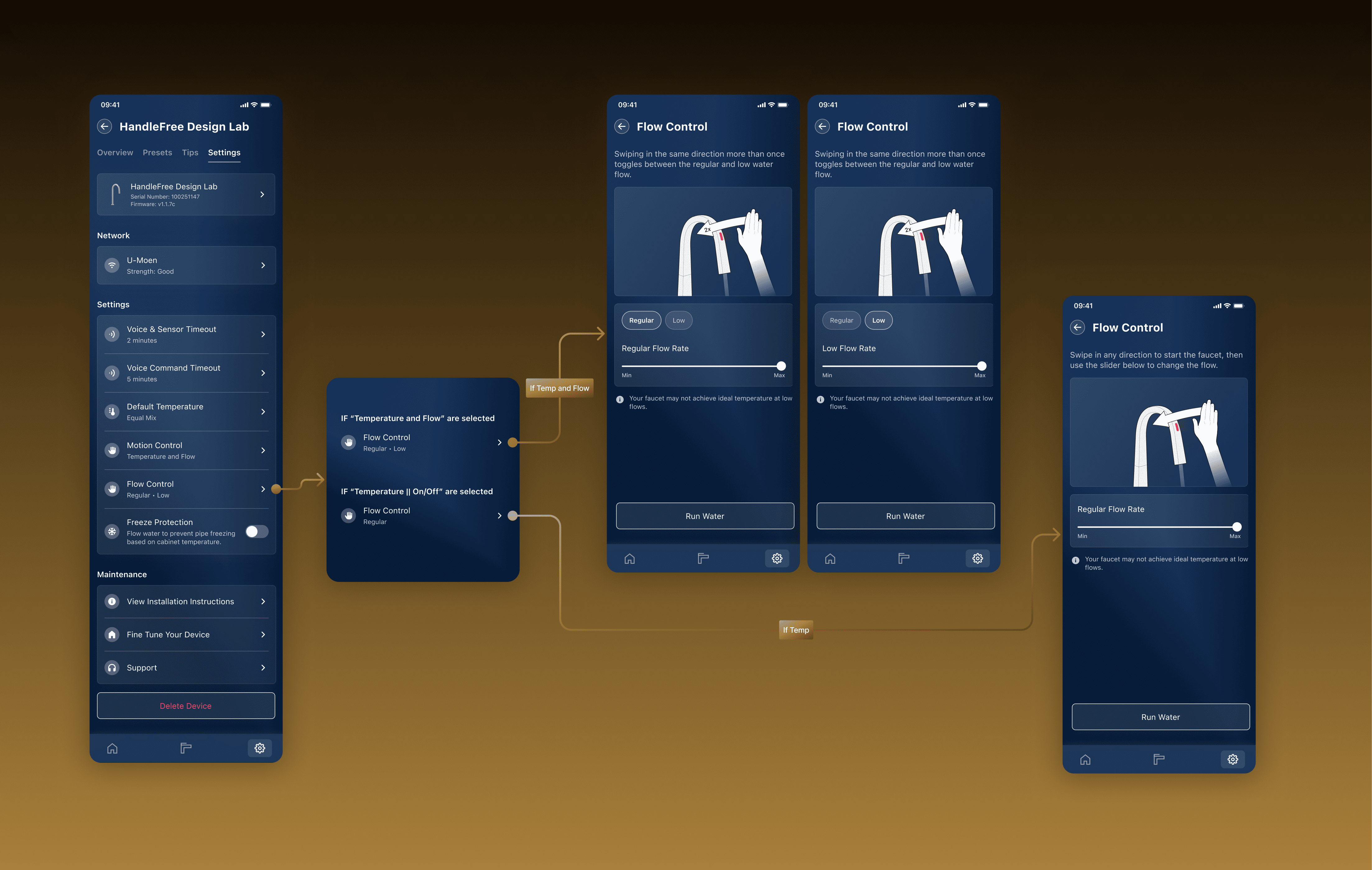
Challenge: Users needed clarity on adjusting water flow without a handle.Solution: I defined two flow settings—100% (regular) and 60% (low, due to motor limitations)—and designed an intuitive interface to make adjustments seamless.Outcome: Users could confidently control flow, with clear defaults enhancing usability.
Defining the Flow
Handle free faucet was designed with 2 flow settings, a regular flow and a low flow. During this process we had to define what each one of those flows mean to users and what default values should be. We settled on 100% flow for regular which is completely open valve, and 60% as low. Faucet motor had issues with mixing water lower under 60% so we decided to limit the flow to minimally 60%.
Final Version
Handle free faucet was designed with 2 flow settings, a regular flow and a low flow. During this process we had to define what each one of those flows mean to users and what default values should be. We settled on 100% flow for regular which is completely open valve, and 60% as low. Faucet motor had issues with mixing water lower under 60% so we decided to limit the flow to minimally 60%.
LED Notifications
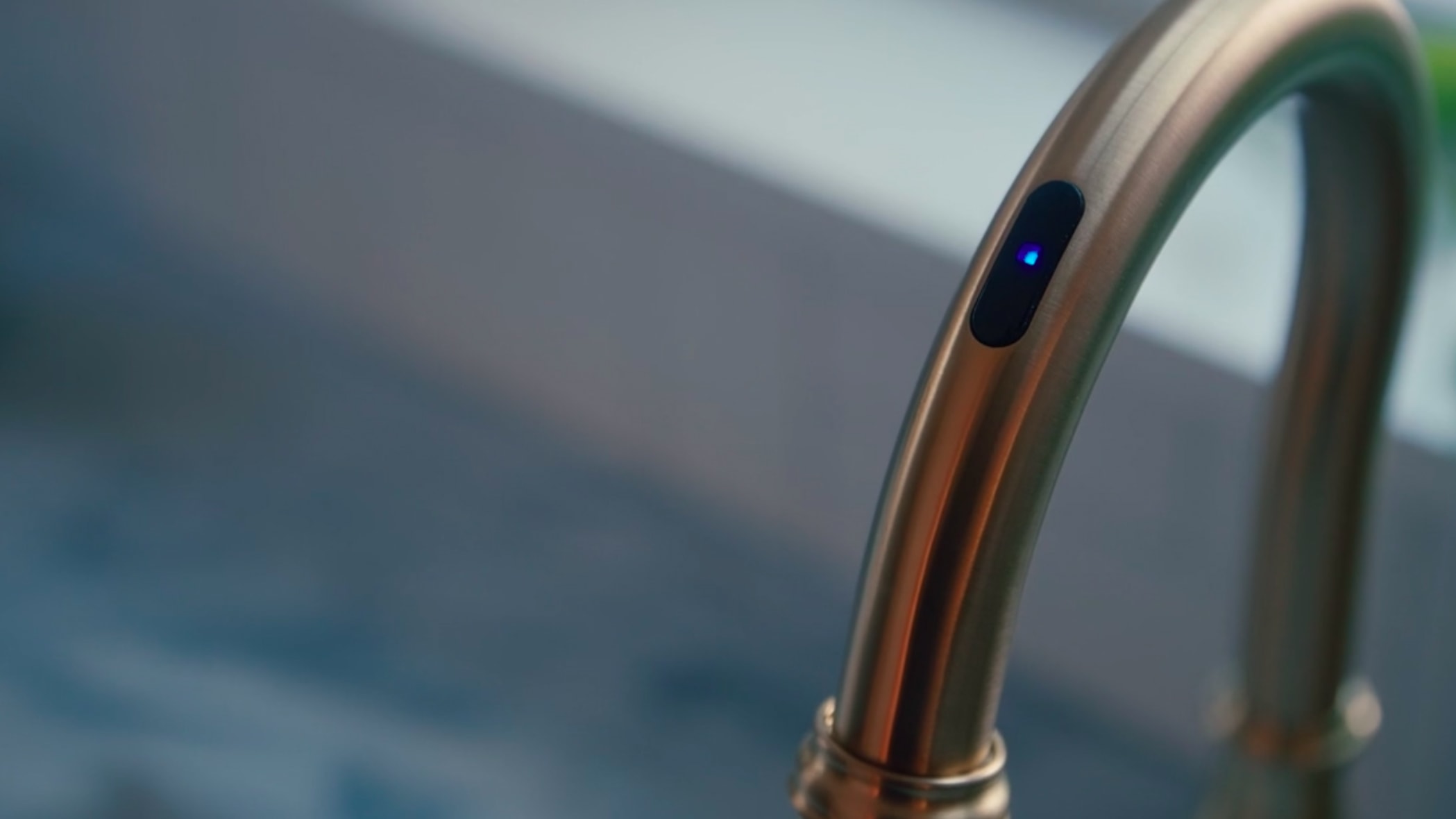
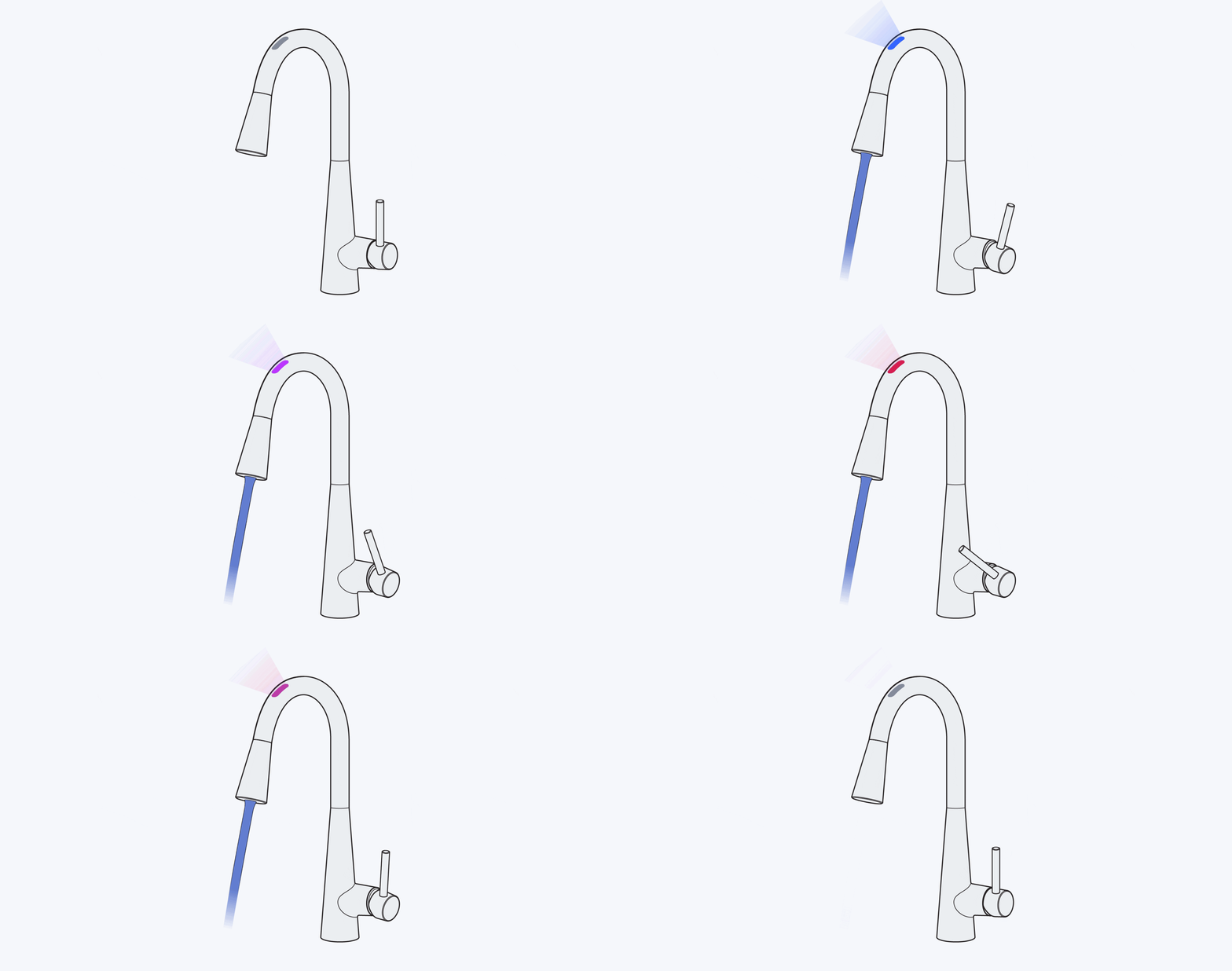
The Moen Smart Faucet’s LED signals were meant to communicate its status—like hot vs cold water, low battery, or firmware updates—but users were left in the dark about their meanings. With no clear guidance, the blinking lights confused rather than informed, especially across diverse households using the Smart Water Network app. My goal was to turn this overlooked feature into a seamless part of the user experience.
Crafting the Solution
To address this, I focused on creating a consistent, accessible way to explain the LED signals within the app’s help section. My contributions included:
Defining the Visual Language
Writing and Translating Content
Testing for Comprehension
Defining the Visual Language
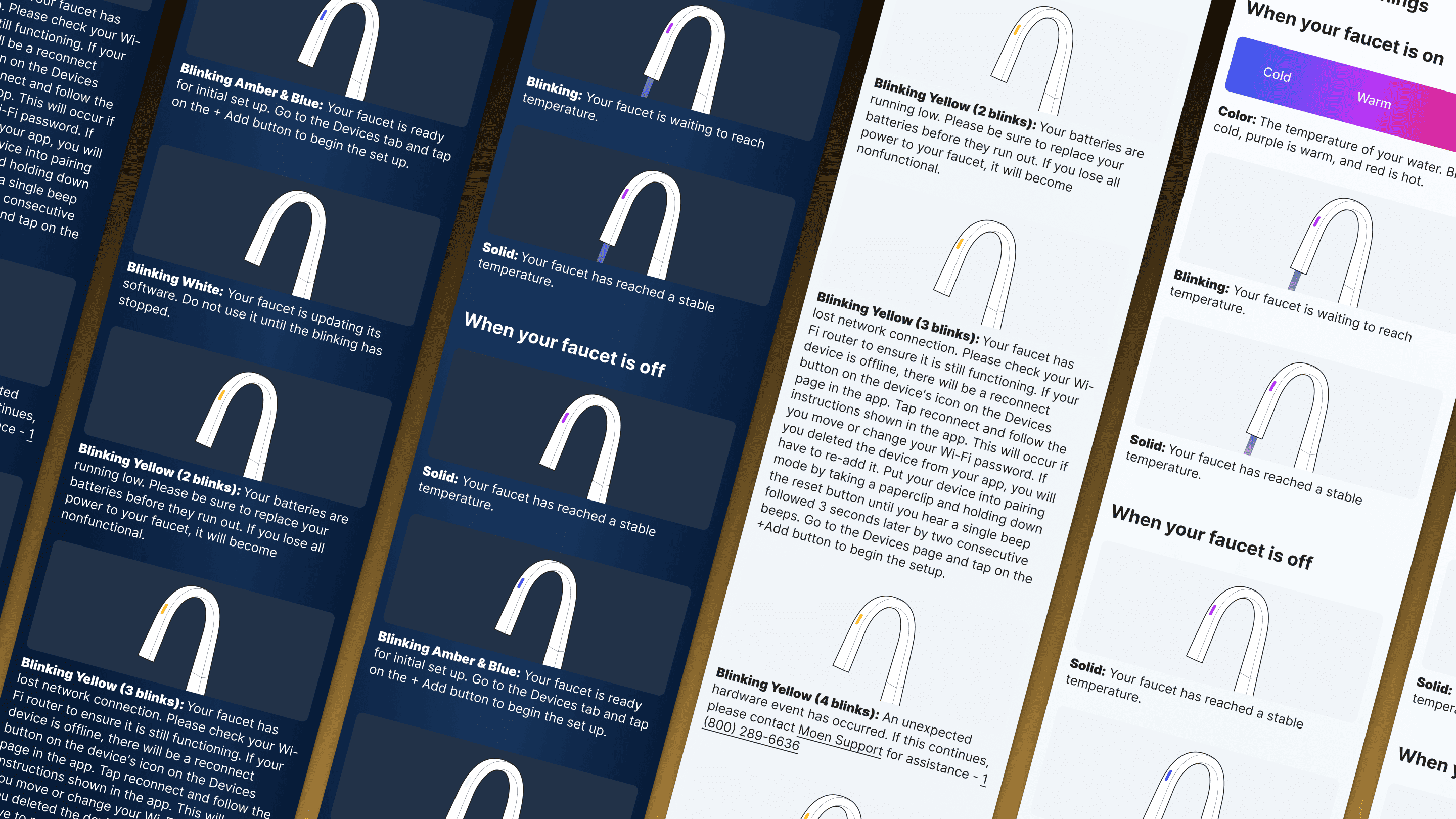
Problem: The app lacked a unified style for explaining LED states, with inconsistent visuals and text across sections.Solution: I designed a set of new images and animations showcasing each LED state (e.g., solid blue for “on,” flashing red for “error”), paired with concise descriptions. This brought clarity and aligned the help article with the app’s evolving design system.
Writing and Translating Content
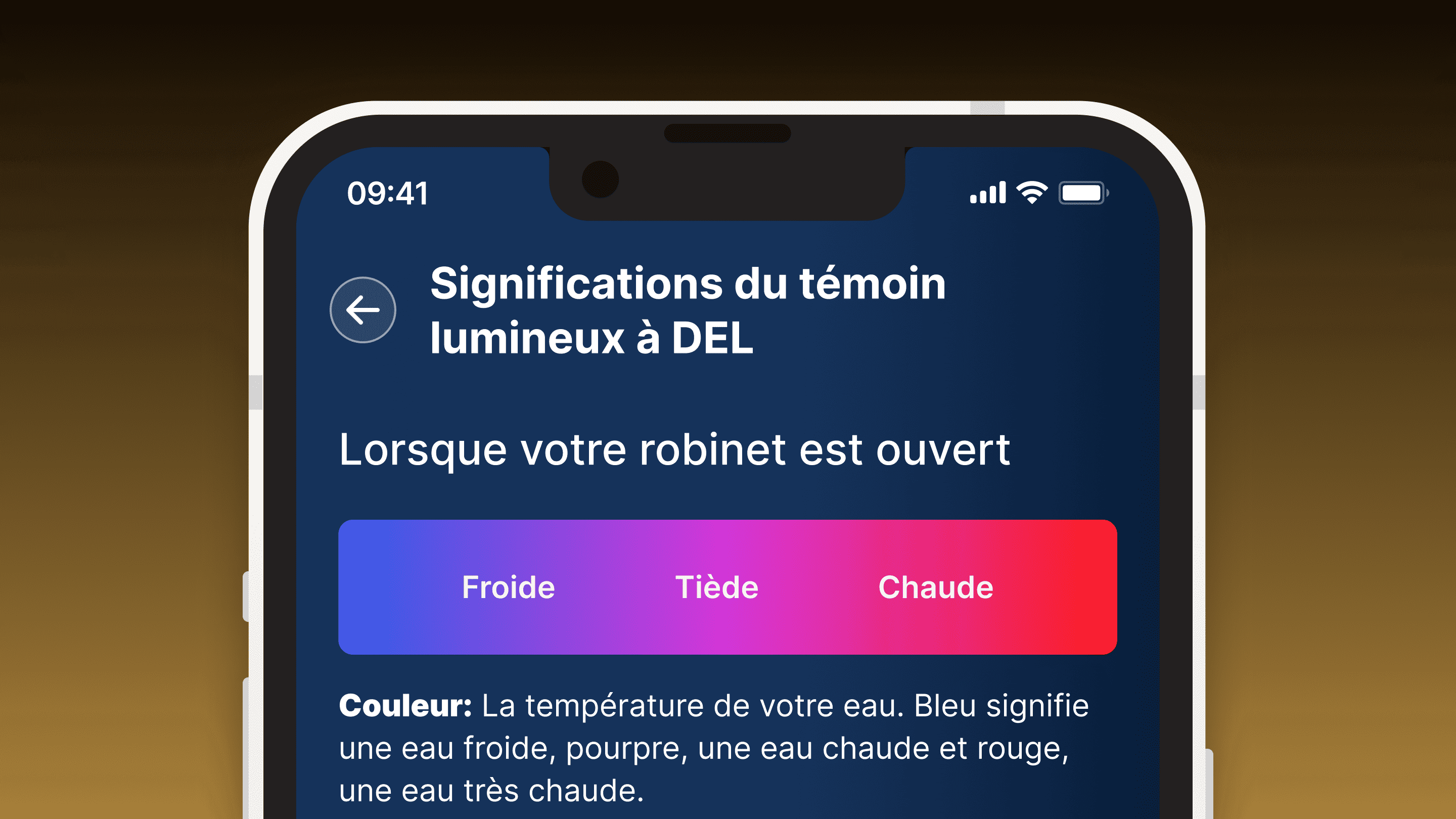
Problem: Users needed straightforward explanations, and French-speaking users were underserved by the lack of translations.Solution: I wrote clear, user-friendly descriptions for each LED signal (e.g., “Blinking Purple: Warming Up”) and collaborated with a translator to ensure accurate French versions. This made the app more inclusive and consistent.
Testing for Comprehension
Solution: I integrated the new assets into an interactive help tutorial and tested it with users, refining based on feedback to ensure 100% understanding. The result was a polished video guide that brought the LEDs to life.
Design System Evolution
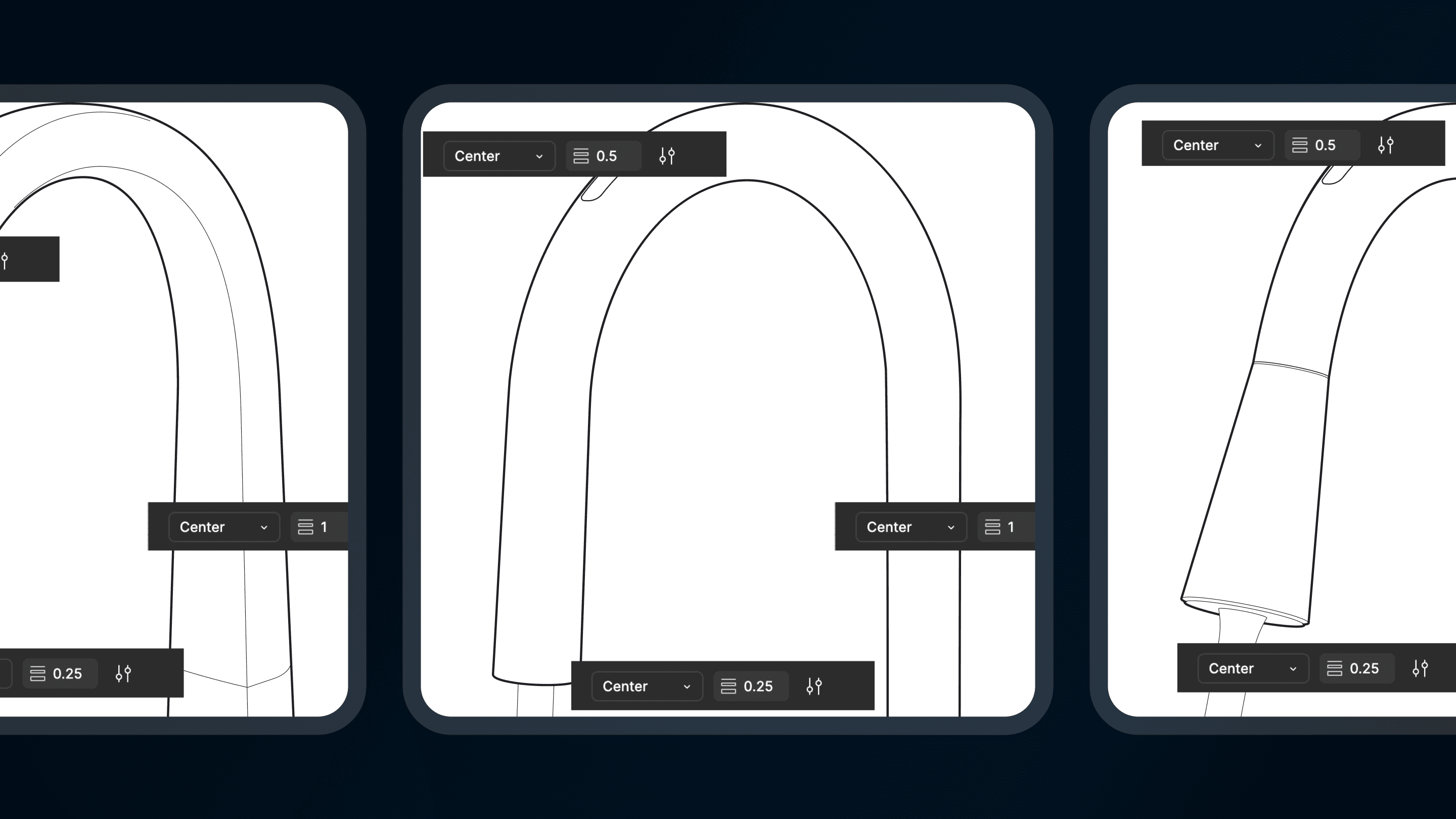
Redesigned illustration library including faucets and hands, and created new animations for all temperature and flow modes. Purpose of new libraries was to create a sense of pleasure and excitement in the users when interacting with gamified tutorial to improve attention and retention, resulting in higher gesture success rate.
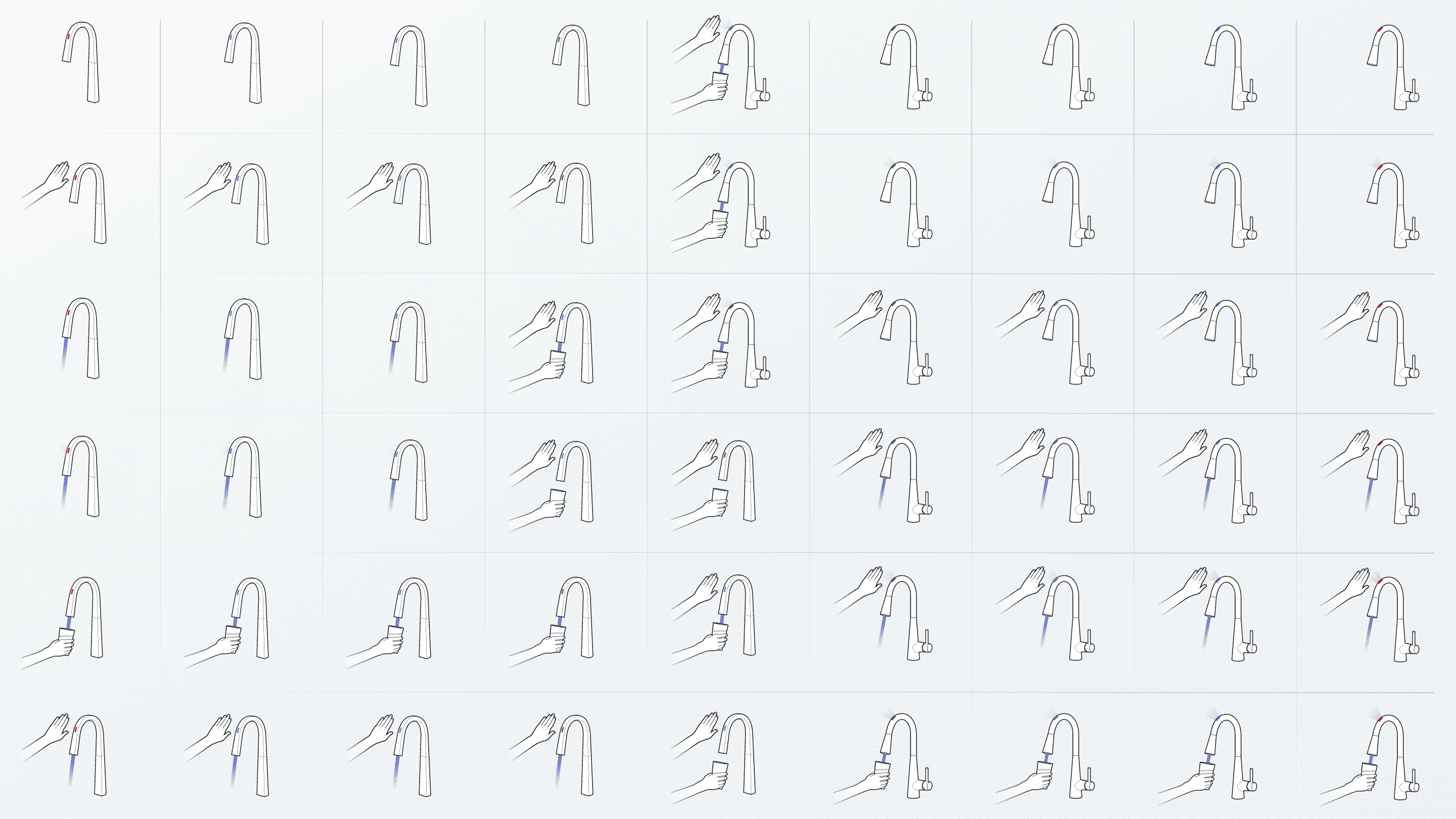
Design System Library for All Use Cases
Recognizing the potential for broader application, I extended our illustration library to cover all use cases within the app. The expanded library now includes:
Two new sets of illustrations in light and dark modes
Comprehensive coverage of user gestures for both handled and handle-free faucets
This expansion ensures consistency across the entire user interface and accommodates various faucet models.
Increasing User Retention with Animations
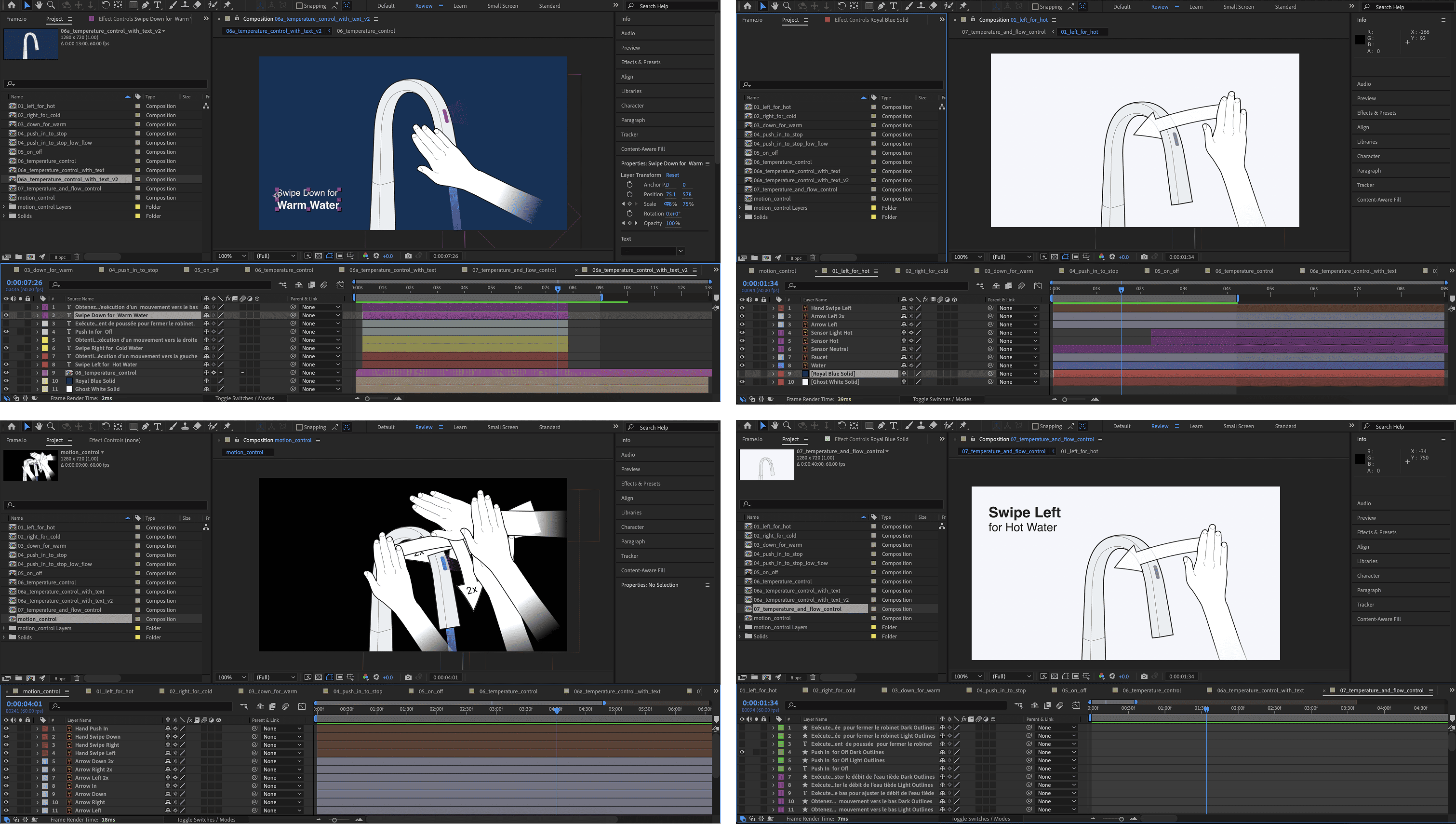
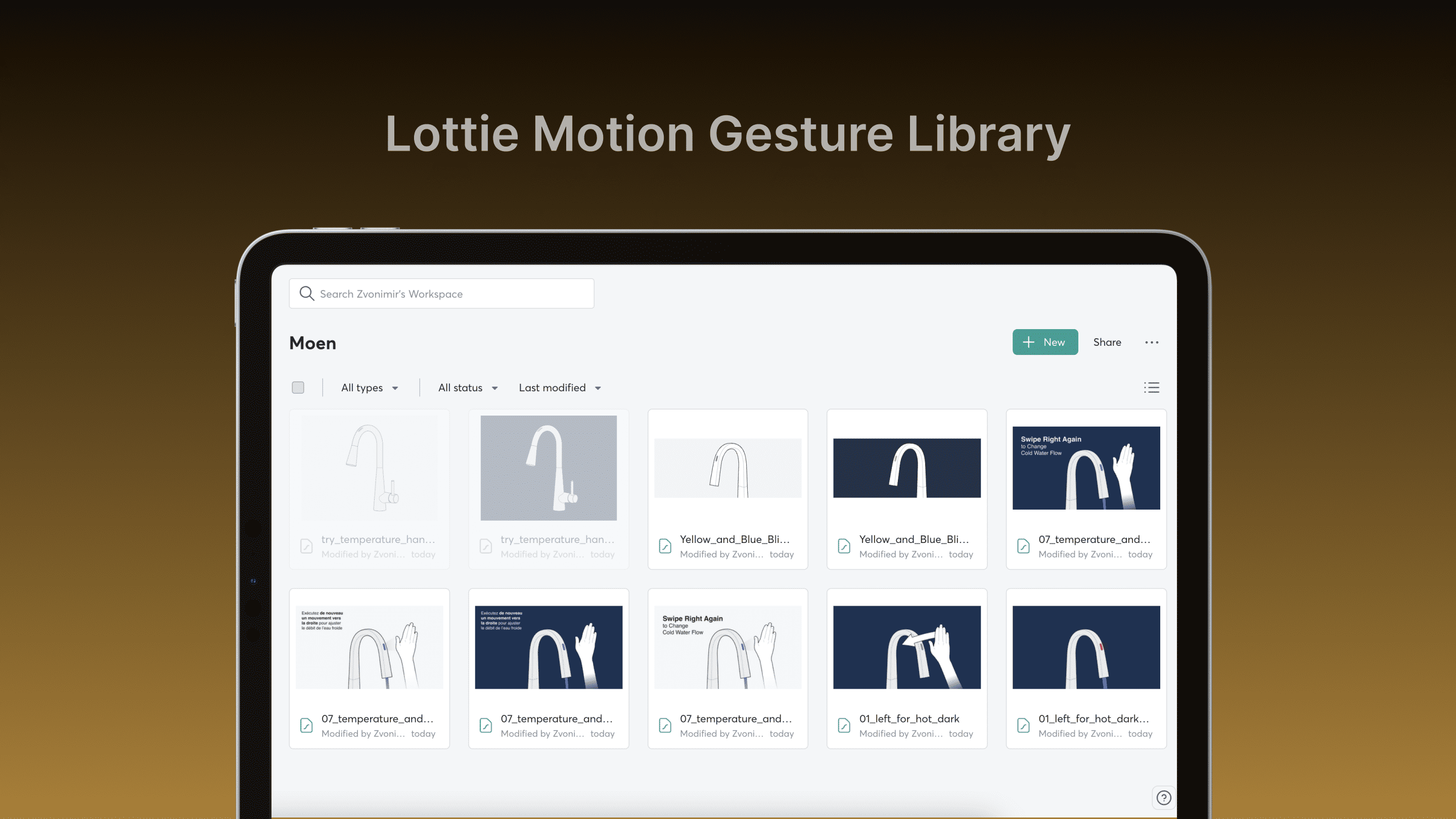
To further enhance user engagement, I developed our first-ever animation library for Moen using After Effects and Lottie. This library includes:
Over 50 animations in both light and dark modes
English and French translations synchronized with gestures
Updated animations for different faucet models
These animations not only guide users through interactions but also add a playful element to the learning process.
As I implemented the new illustrations and animations for our Smart Handleless Faucet, it became clear that these enhancements could benefit other faucet models and areas of the app. By extending the scope of our design system, I've not only updated existing animations but also created a cohesive visual identity across the entire platform.
This new library was based on freshly minted illustrations based on the new art direction.
Light and Dark Modes
To cater to different user preferences and ensure accessibility, we implemented both light and dark modes throughout the design system.
Impact
The redesigned features—new tutorials, gamified elements, and a robust design system contributed to a 0.5-point increase in app store ratings, reflecting improved user satisfaction. New tutorial’s 95% pass rate in testing further validated the success of the visual language updates.