Prototyping an Advanced Shower GUI with Figma and Crank Storyboard
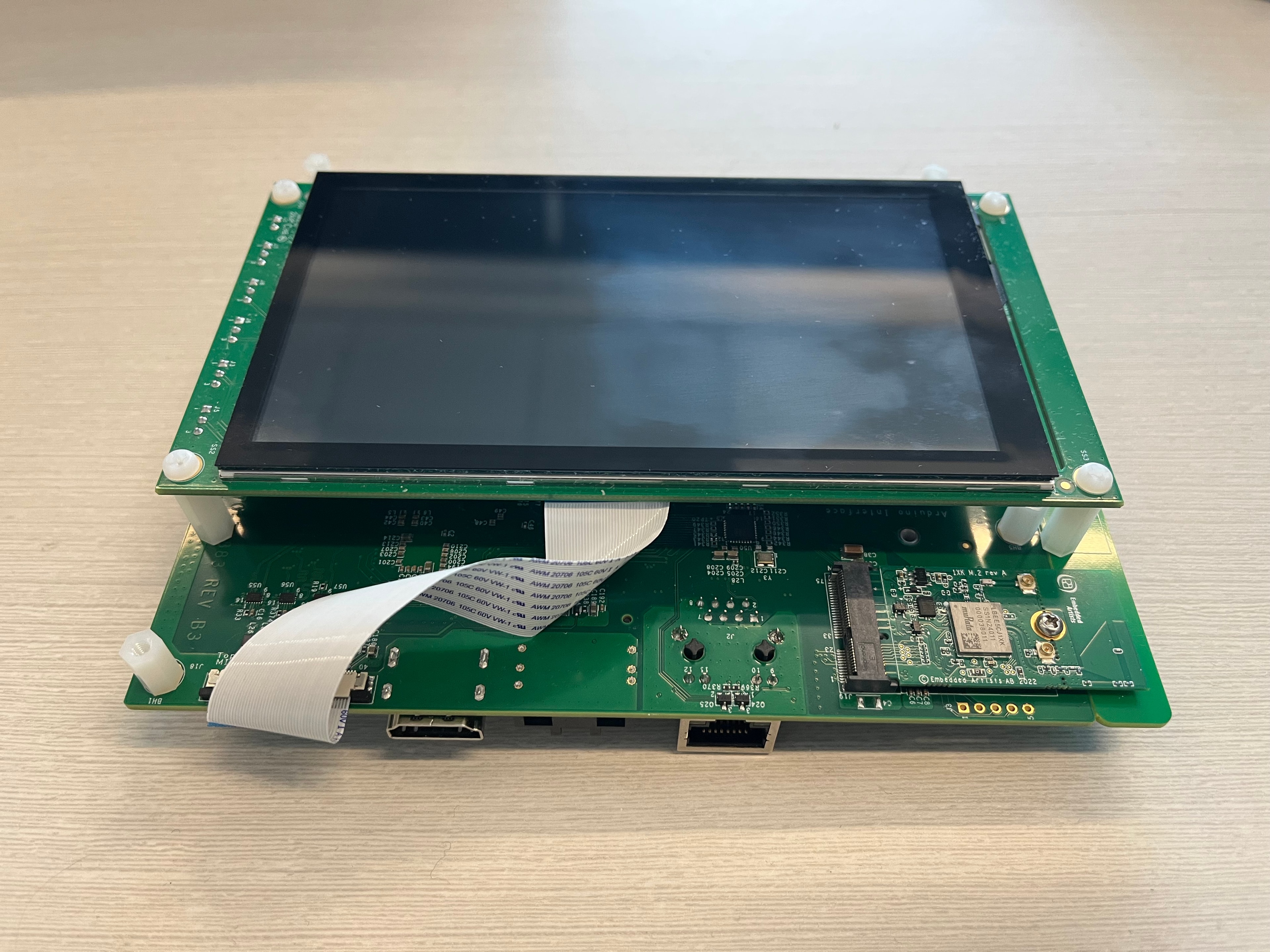
My Role: Product Design Lead Timeline: 5 weeks Platform: NXP MCIMX8ULP - SOM board, 5” NXP BV screen, Linux Yocto OS
Introduction: A Splash of Innovation
Picture designing a smart shower interface with no budget, and a team lacking embedded hardware GUI expertise. As Moen’s Product Design Lead, I turned this challenge into an opportunity. I spearheaded an in-house solution to prototype and test an advanced shower GUI, slashing firmware development time by 30% (based on previous project) and bridging design and engineering like never before—all on a 5” NXP screen powered by Linux Yocto OS.
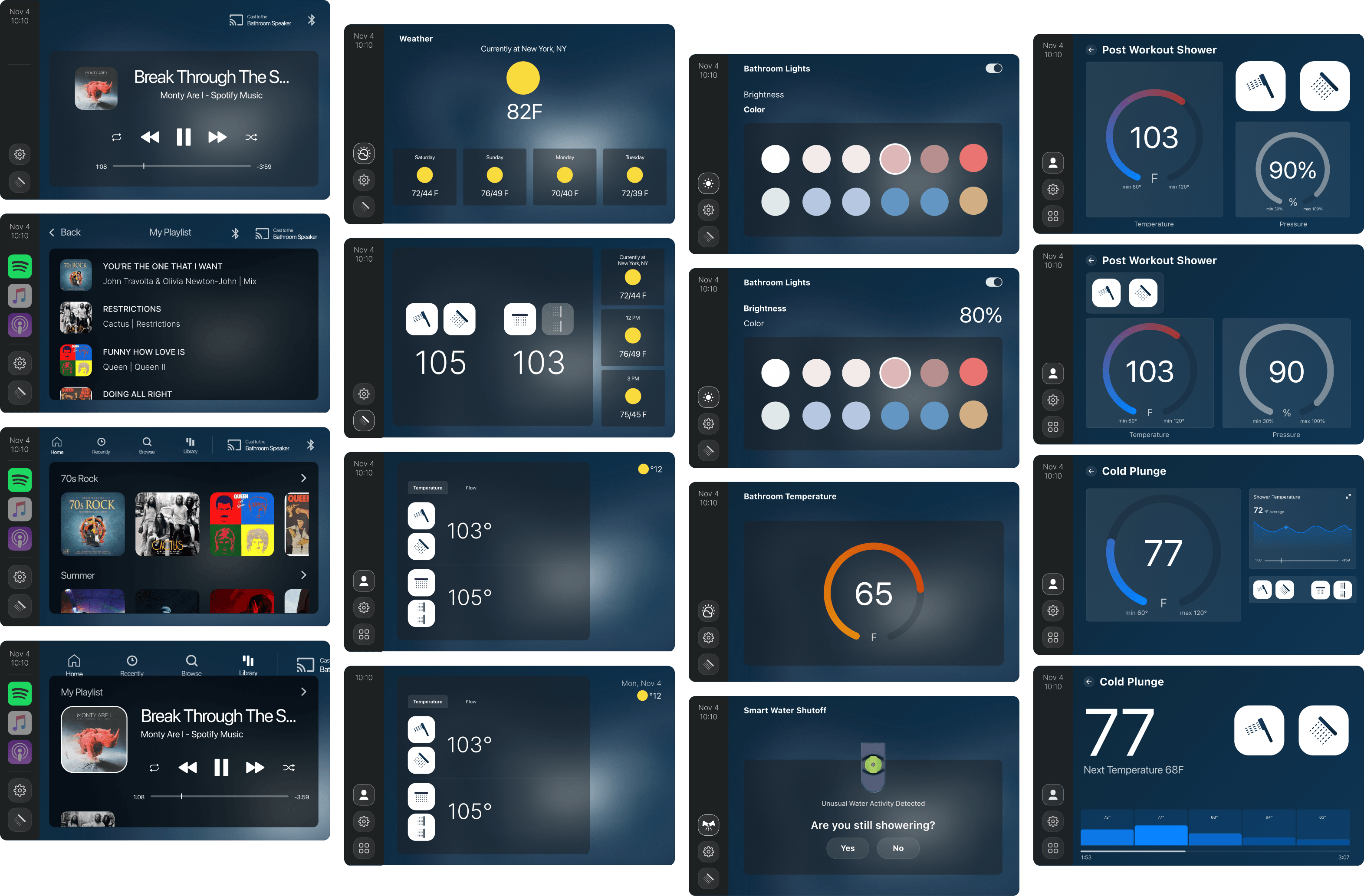
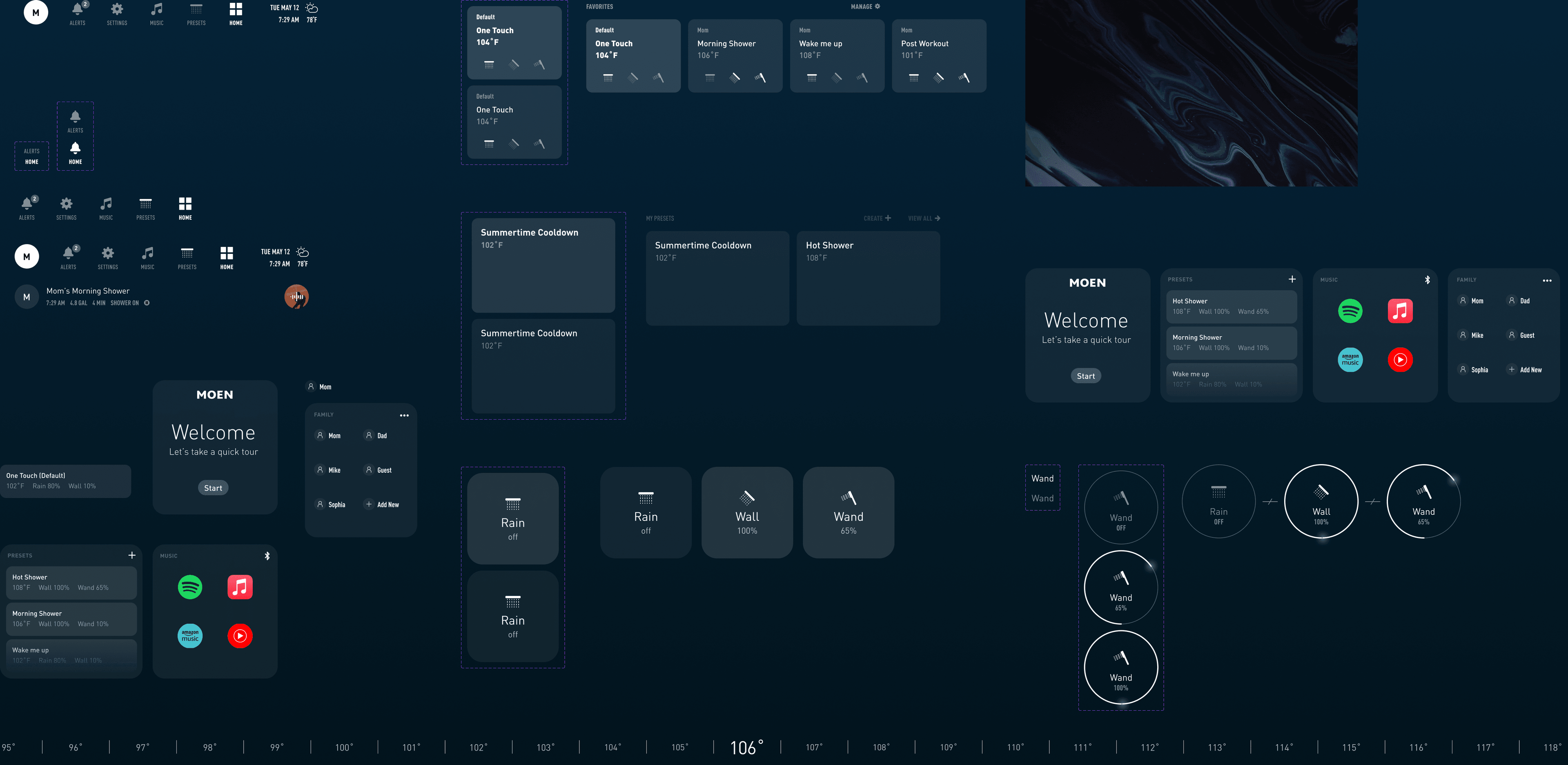
One of the first flows that was waiting for testing.
The Challenge: Stuck in the Steam
Moen’s smart shower program was stalled. Product and design teams needed a fast, flexible way to validate shower features and GUI interactions on remote embedded hardware, but limited resources and expertise left us high and dry. Prototyping on the NXP board was slow, collaboration with firmware engineers was clunky, and testing was a bottleneck. We had to rethink how to build and iterate—without breaking the bank.
Research and Discovery: Diving into the User Needs and the World of Embedded Software
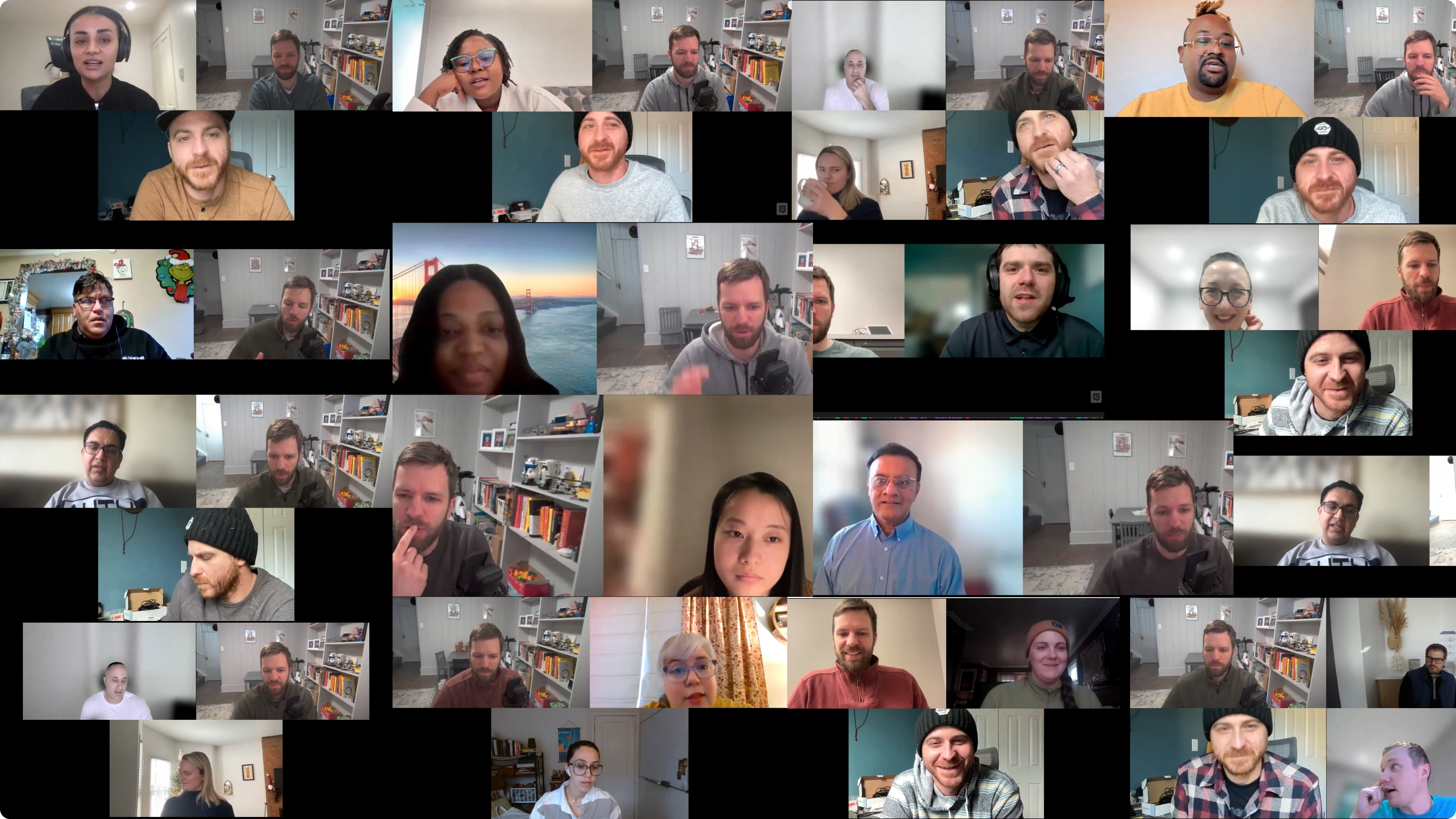
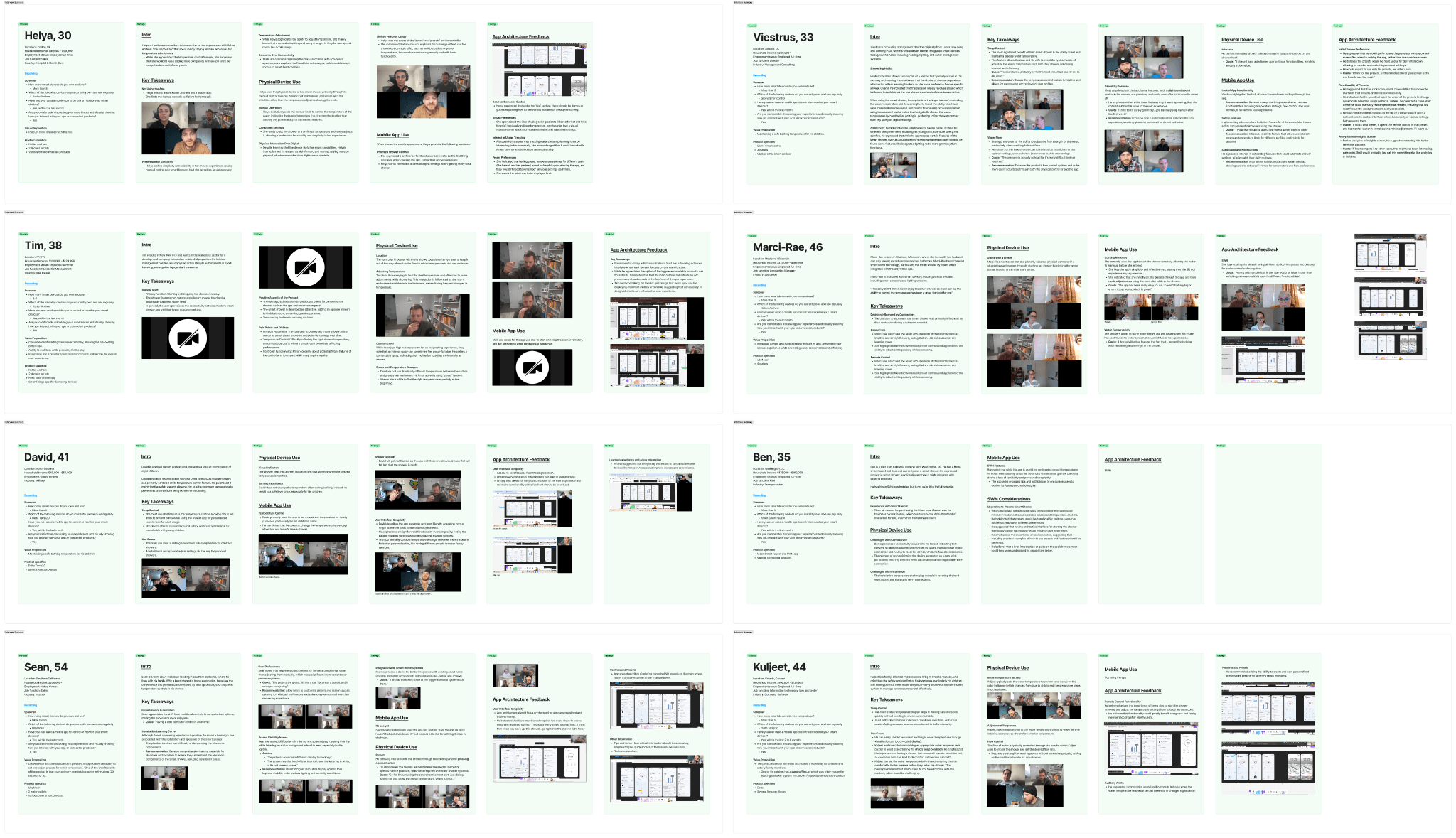
I kicked off by researching low-code embedded design tools, landing on Crank Storyboard as our game-changer—and snagged free licenses to keep costs at zero. To ground our work, I ran a UserTesting study, recruiting 28 smart home enthusiasts and shower owners with a detailed screener. Through interviews, we uncovered must-haves: easy preset controls, precise temperature tweaks, and smart home integrations.
To save time I organized all the findings in the same FigJam file that we used for interview planning and script. Later, we shared the same file with the main stakeholders and we used it as a reference point for design decisions.
Ideation and Setup: Laying the Groundwork
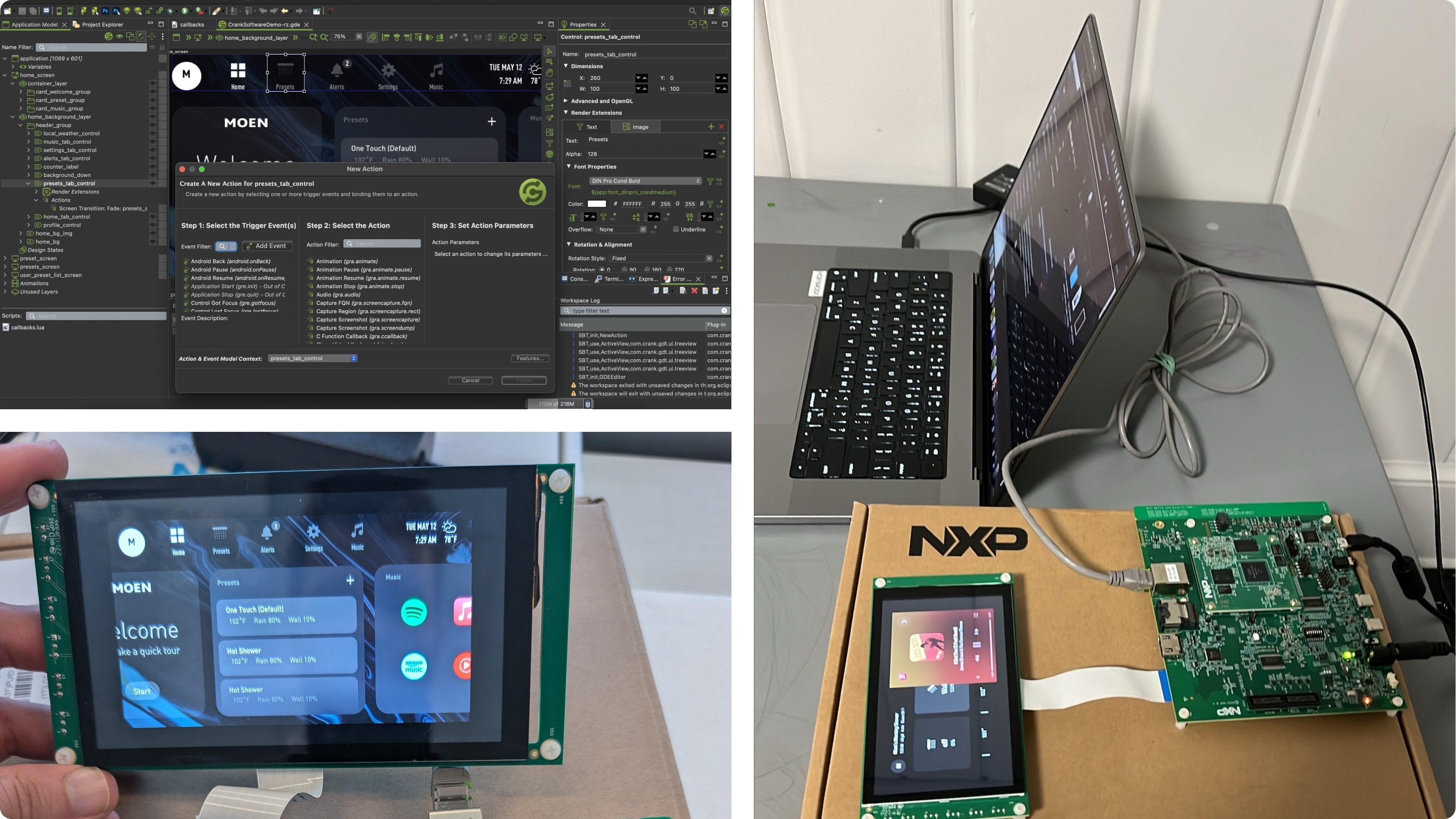
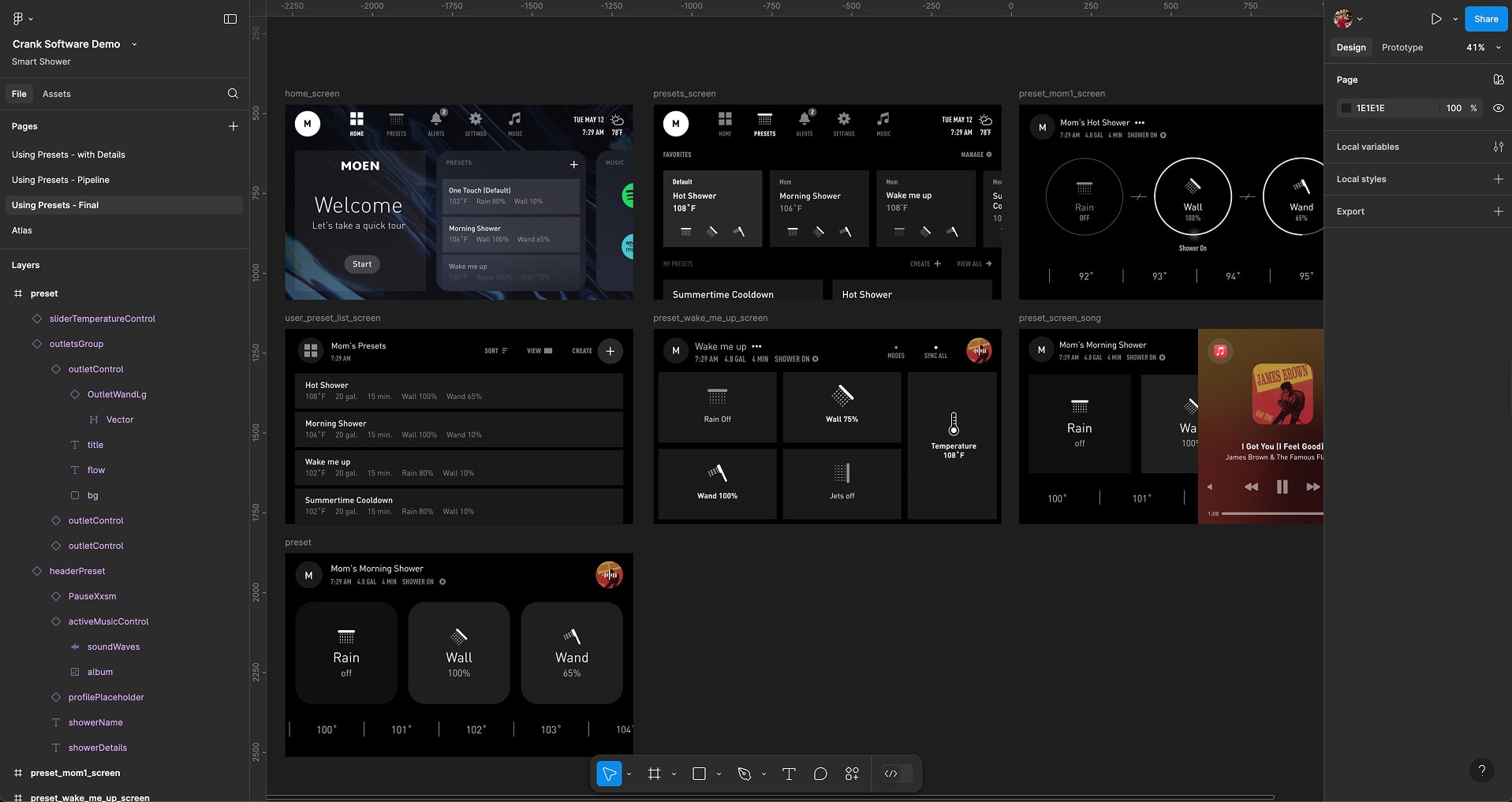
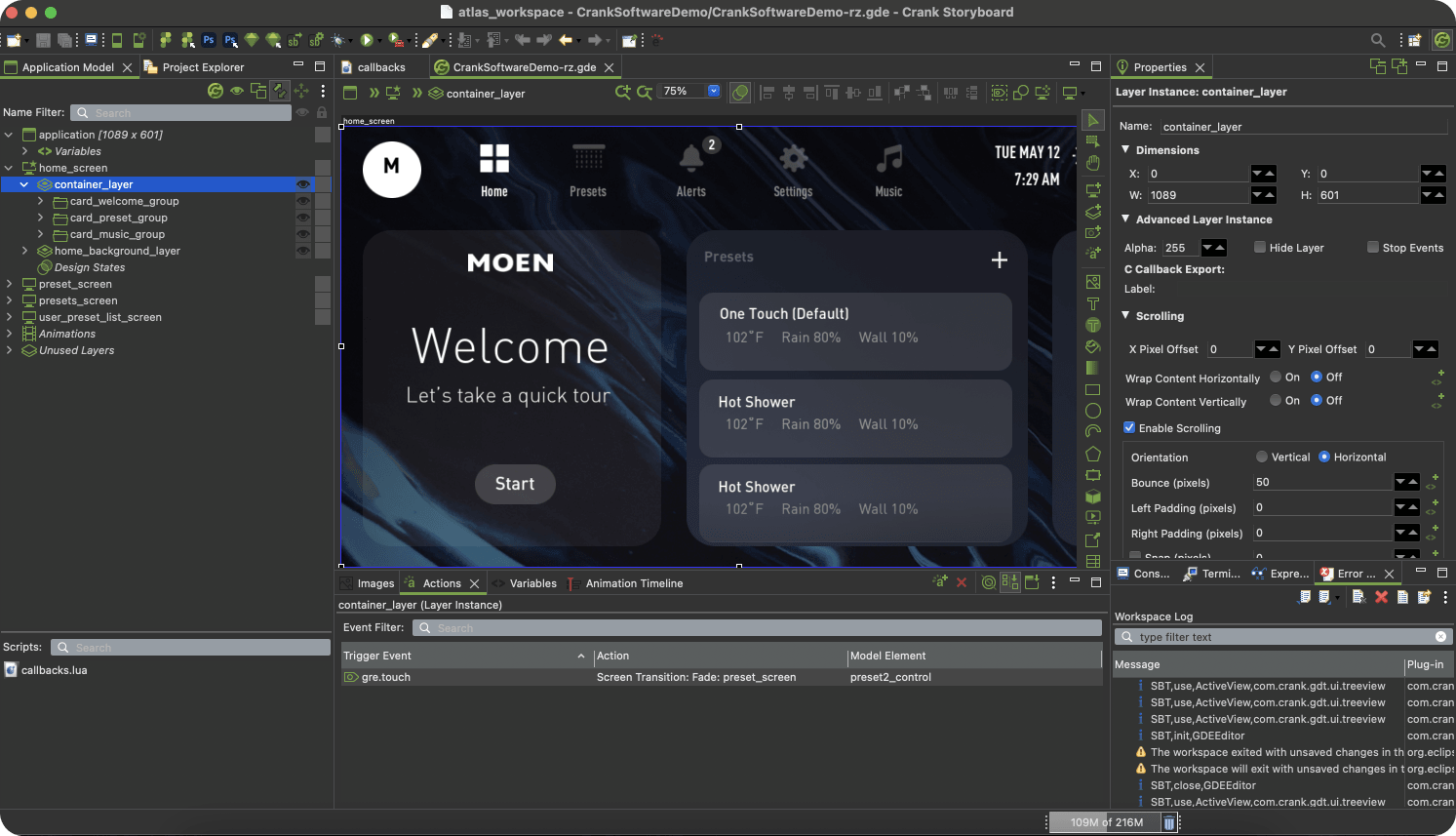
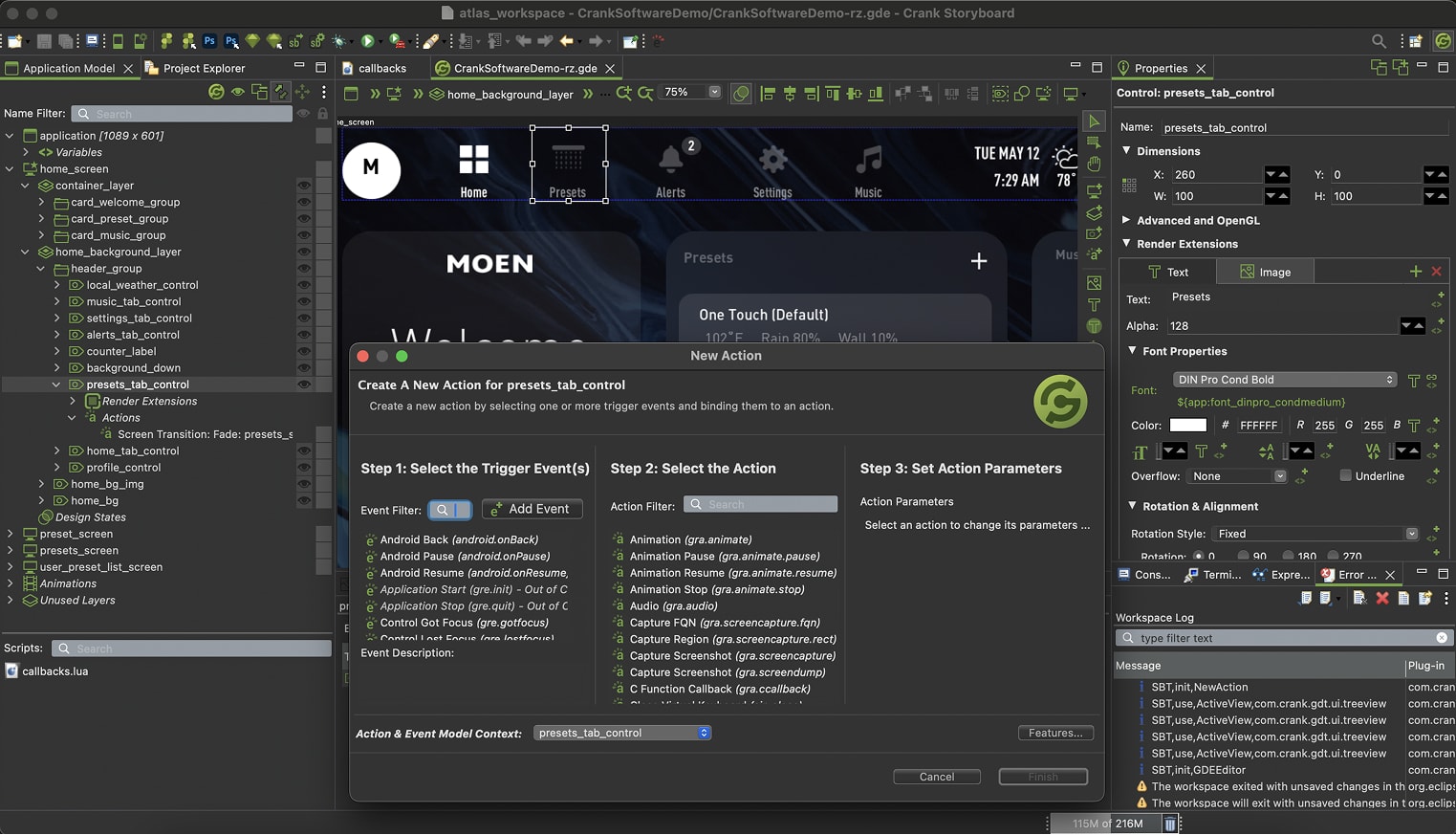
With insights in hand, I collaborated with a firmware engineer to configure the NXP board, then dove into prototyping. I chose Figma for design assets and Crank Storyboard to bring them to life on the embedded system. Lua scripting unlocked custom transitions—like a smooth fade between screens—while brainstorming sessions with the team mapped out intuitive navigation. This hybrid approach fused design creativity with hardware reality.
Design Process: Crafting the Flow
I built a fully interactive GUI prototype on the NXP board, focusing on features that blended user delight with technical feasibility.
Starting a Shower: Is one-tap launch the key? Do we need a "Welcome" screen? Do we need widgets? I created a bold shower presets on the home screen, triggering an outlets and temperature control. Testing showed 90% of users nailed it on the first try.
Choosing a Preset: Users craved personalization, so I designed a preset menu with saveable settings—temperature, flow, duration. A swipeable carousel on the 5” screen made picking presets a breeze, cutting selection time by 25%.
Precise Water Temperature Control: Comfort demanded precision. I crafted a sleek slider with 1-degree increments and a live temp readout. 50% of users reported a preference for small temperature changes in favor of the slider.
Integrations: Smart home fans wanted integrations with third-party subscriptions. I added controls for Spotify, playlists, and songs.
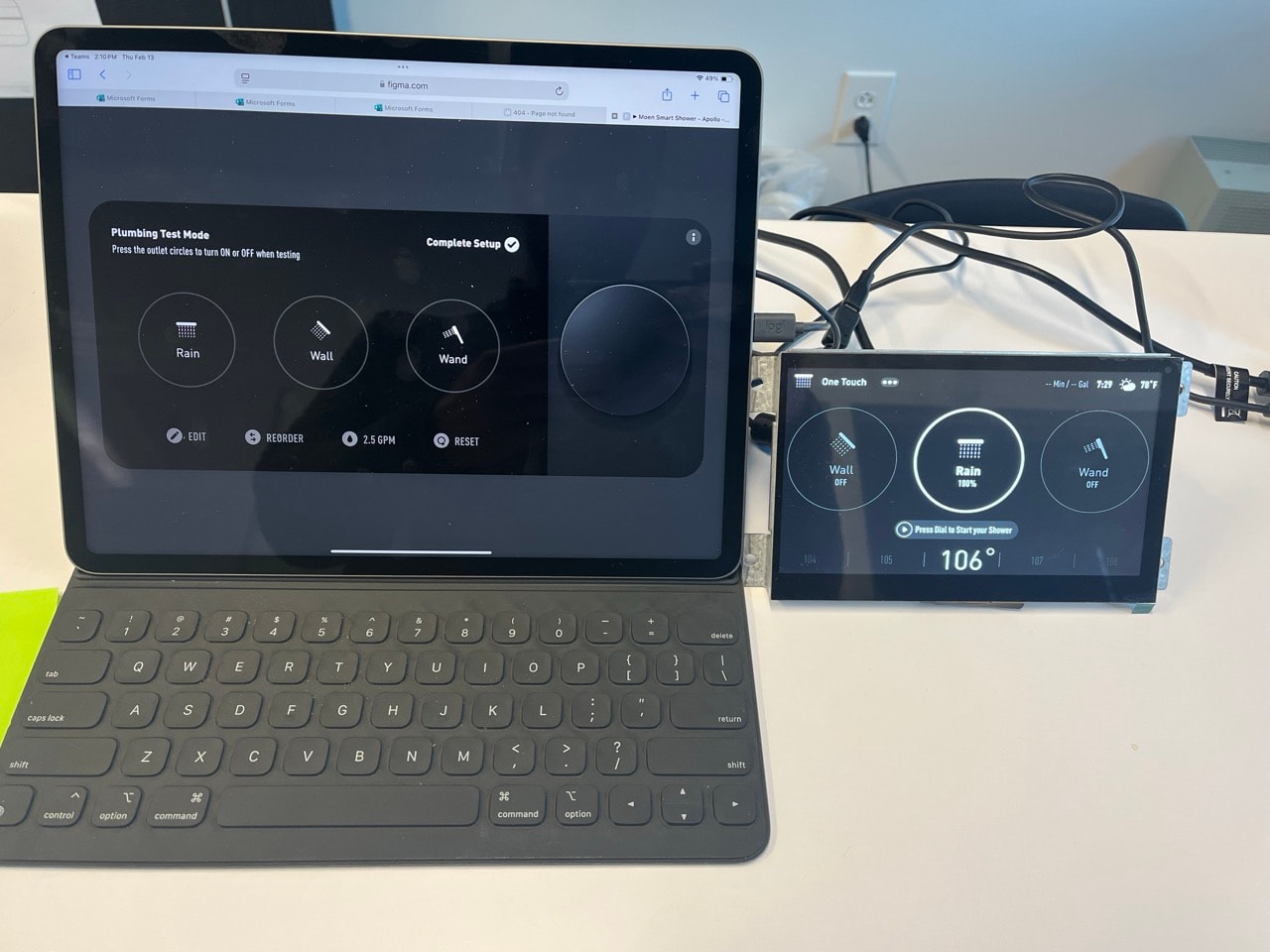
Figma components imported into Crank ensured consistency, while Lua scripting powered transitions like a temperature slider fade. Early usability tests on the board refined these interactions, retiring risks fast.
Testing and Iteration: Fine-Tuning the Stream
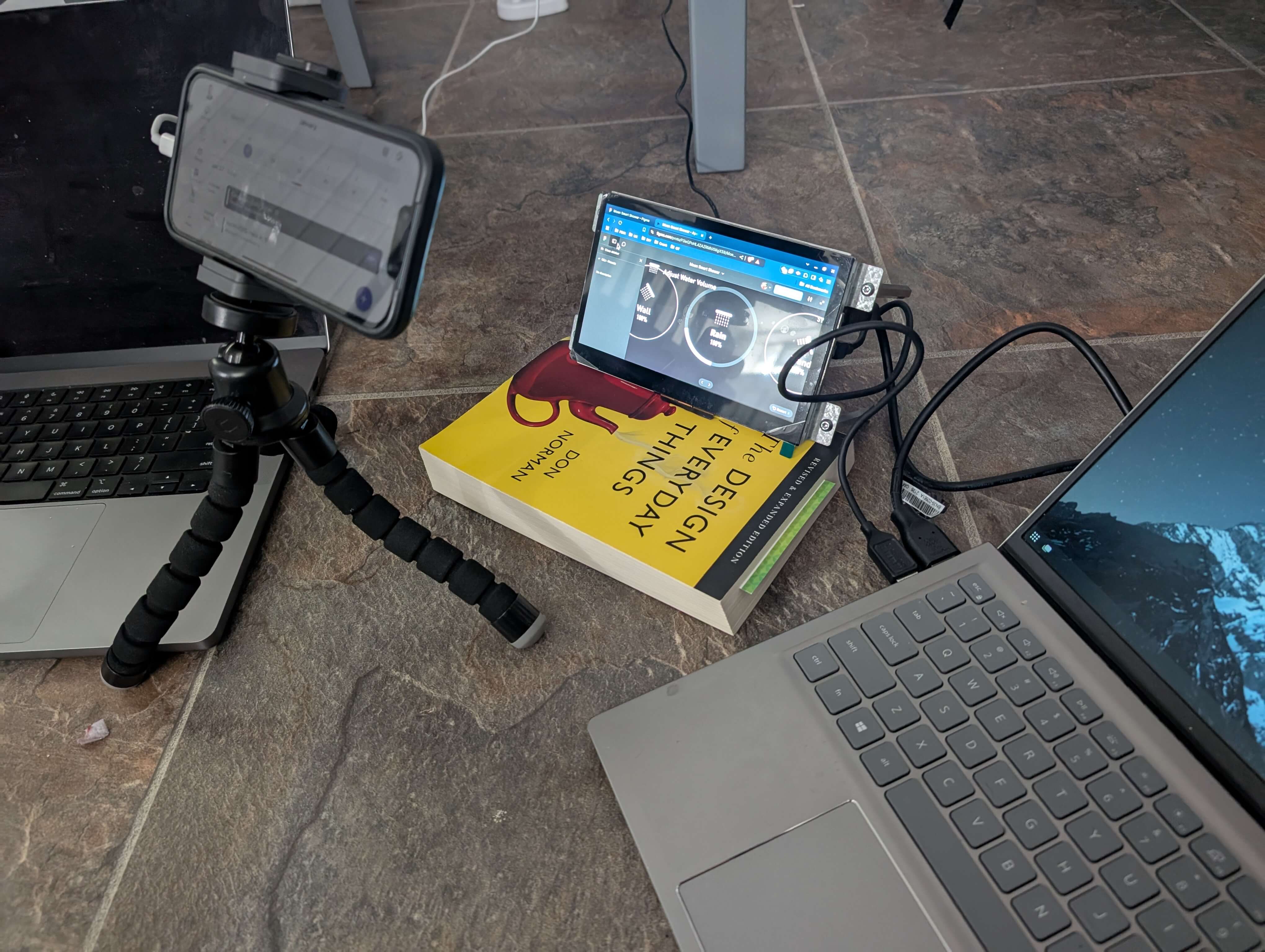
I ran hands-on usability tests with the prototype, observing users on the NXP board and via UserTesting. One tweak? Enlarging the temp slider after users fumbled on the small screen. Another? Simplifying the preset save flow—shaving two steps. These iterations, logged in our FigJam hub, kept development lean and user-focused, impressing stakeholders with rapid progress.While working remotely, I've created a modest setup at home, and seamlessly collaborated with my design and engineering partners.
Design System for Embedded Hardware
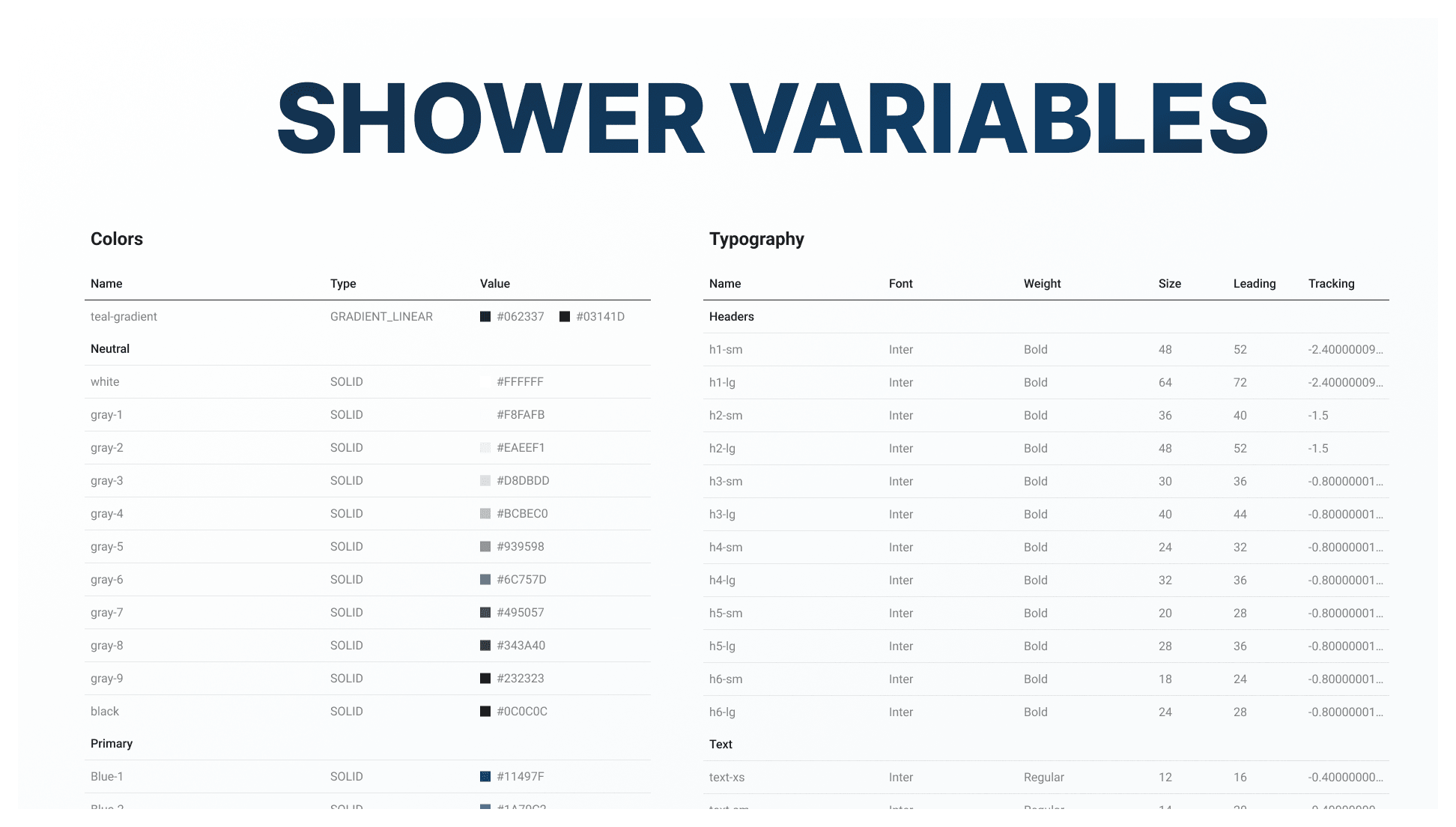
To wrap the project up, and ensure scalability, I've created a mini design system specifically for embedded prototyping. When creating a design system for embedded hardware, I learned three key takeaways:
Components must be compatible with the target software on the specific hardware, ensuring seamless integration and functionality.
Components should be designed with flexibility in mind, allowing for easy testing and adaptation in remote settings. This is crucial for troubleshooting and maintaining the system's performance.
Remote Human-Machine Interface (HMI) collaboration is an essential aspect of the design system, enabling users to interact with the system and make adjustments, even from a distance.
Final Solution: A Shower of Success
The result was a polished GUI prototype running on the NXP board—intuitive navigation, interactive controls, and third-party integrations like Spotify, all in five weeks. Designers could now hand off Figma components to engineers via Crank, streamlining collaboration. It was a zero-budget win that proved we could innovate in-house.
Impact and Results: Making Waves
The Moen Smart Shower GUI project was a testament to scrappy innovation. By researching tools, prototyping on hardware, and testing relentlessly, I turned a stalled initiative into a scalable success.This project delivered:
Live prototype, on the official hardware, in 5 weeks, in-house, with a budget of $0.
Shortened development times by introducing new tool and new ways of working to the company, where designers can generate code ready designs.
Early risk retirement through GUI testing further lowering development costs.